Map Options
54 English
Navigation
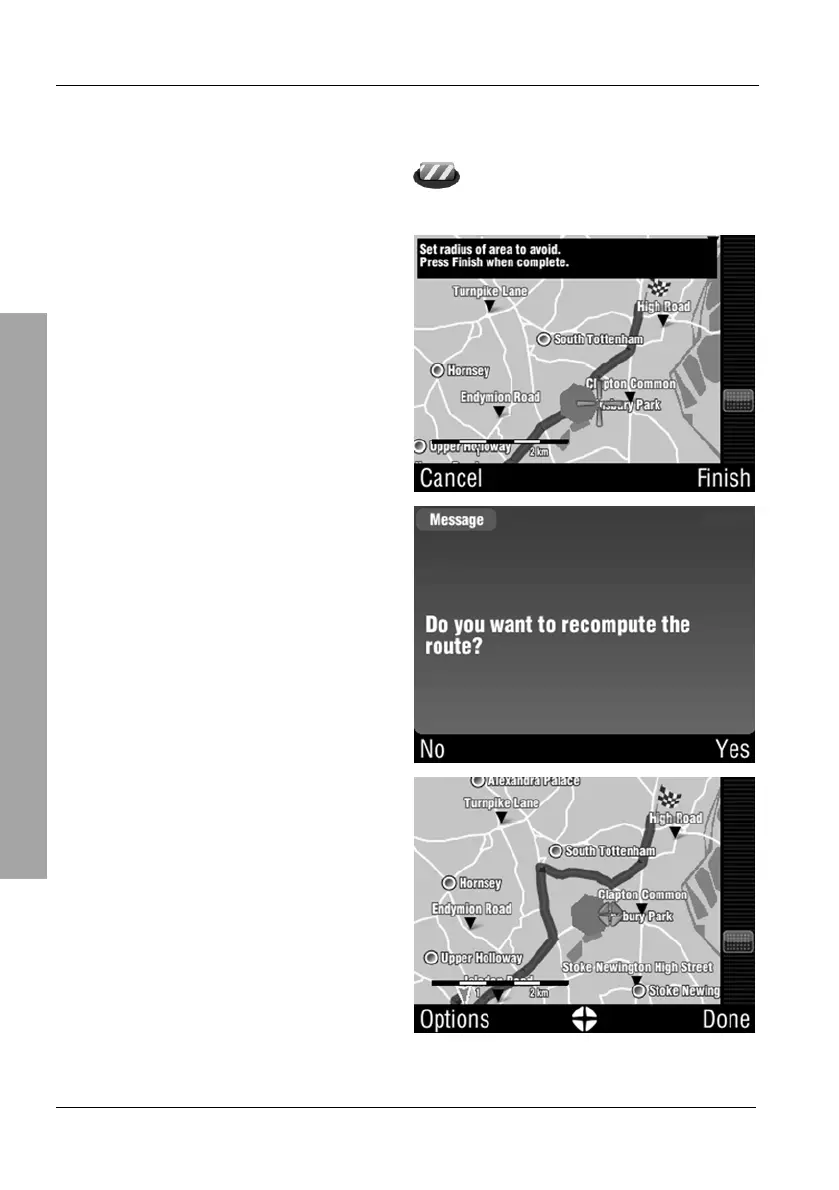
3.6.5.3 Avoid...
From the Browse map menu, tap the Avoid... icon (see the previous
page). A cross icon will appear on the map instead of the position mark.
Tap next to the cross icon to set the
radius of the avoidance zone.
Then tap the Finish button.
If the current route goes through the
avoidance zone it will be
recalculated. Tap Yes to confirm
this action.
The updated route will remain
outside the avoidance zone. Tap
Done to return to navigation.



 To Next Page