Route Settings
68 English
Navigation
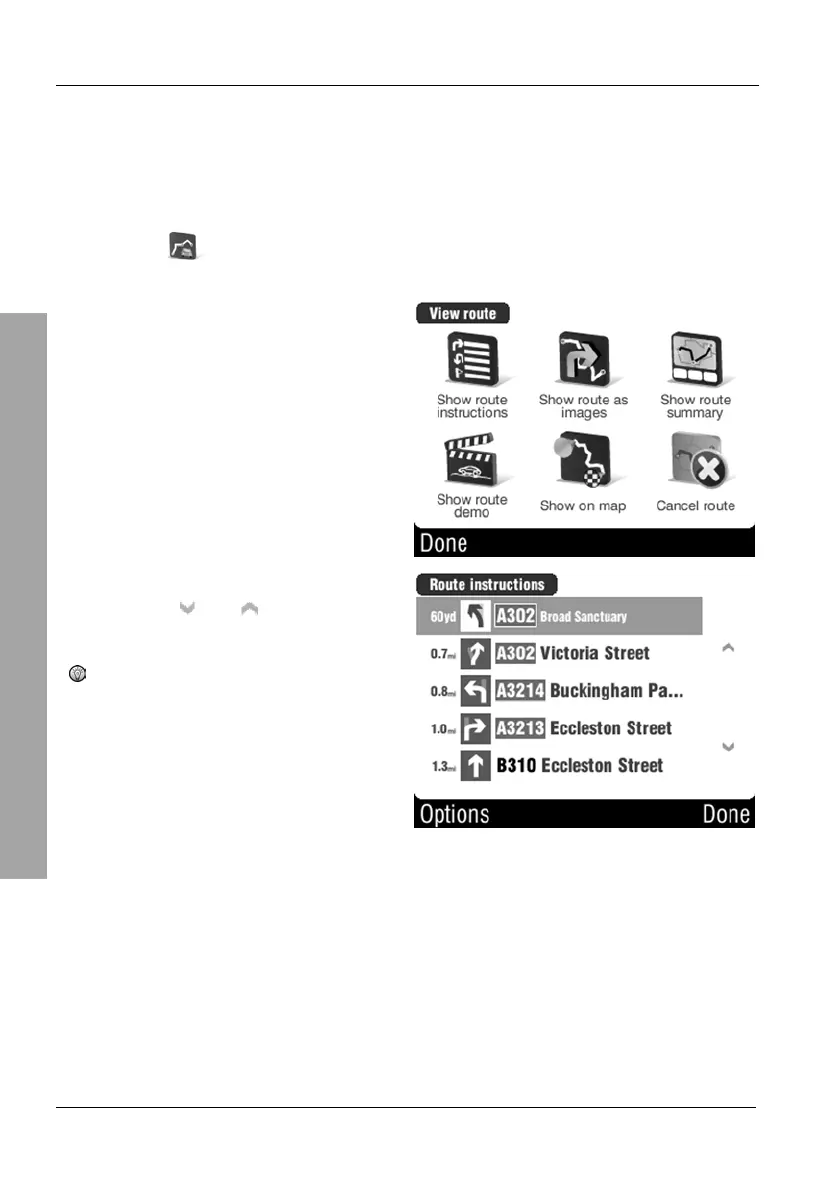
3.7.4 Show route instructions
You can view a programmed route in list format.
Tap on the display to open the GPS main menu.
Tap
Route.
Tap Show route instructions to
open the list:
When viewing a multi-page list you
can use the
and buttons to
change the displayed page.
When tapping onto an entry, the
display will switch to Show
route as images mode.
Tap Options to view the first list column with other information. You can
choose between different output for distance, duration and time.



 To Next Page