First-time Setup
Navigation Device PNA-E3530 23
Introduction
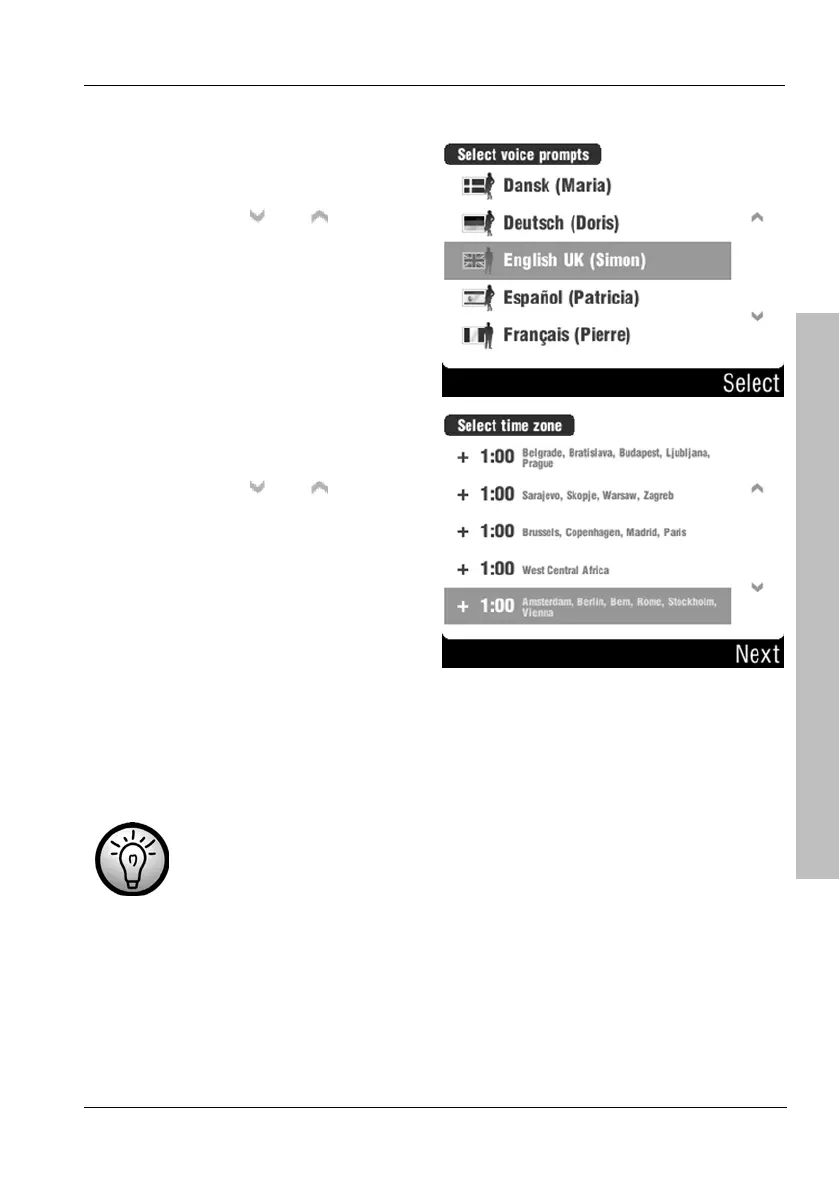
Select a guidance voice by tapping
the corresponding entry.
You can use the
and buttons
to change the displayed page.
Confirm your selection by tapping
the Select button
Next select your time zone by
tapping the corresponding entry.
You can use the
and buttons
to change the displayed page.
Confirm your selection by tapping
the Next button
Upon delivery the device has several maps already installed. When launching
the device for the first time will it take a few seconds for initialising. As soon as
this process is completed, the map with your current position will be displayed.
In the case that no GPS signal is received (e.g. when you have
powered the device on inside a building) no position can be
tracked.
Please read the following pages to learn about the GPS technology and about
general operation for navigation purposes. A quick guide for programming your
first route can be found on page 32.



 To Next Page