POI - Points of Interest
Navigation Device PNA-E3530 77
Navigation
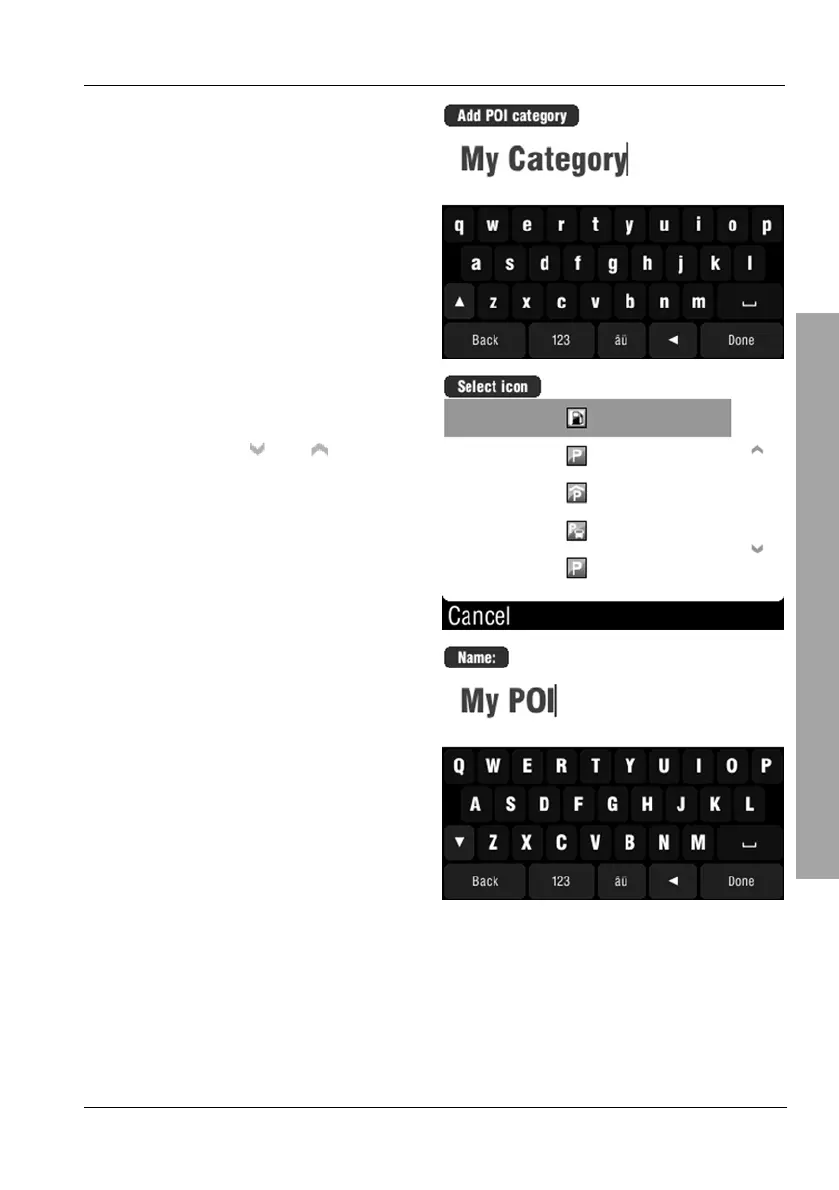
Enter the name of the category via
the on-screen keypad.
Then tap on Done.
Select an icon for your category by
tapping on it.
You can use the
and buttons
to change the displayed page.
Enter the name of the POI via the
on-screen keypad.
Then tap on Done.
This will take you back to the POI menu. The created POI will appear with the
name you have entered on the POI list. You may create as many categories
and entries as you want.



 To Next Page