36 Chapter 6 - Using the Drives Control Keys User Manual
6.2 Navigating the menus
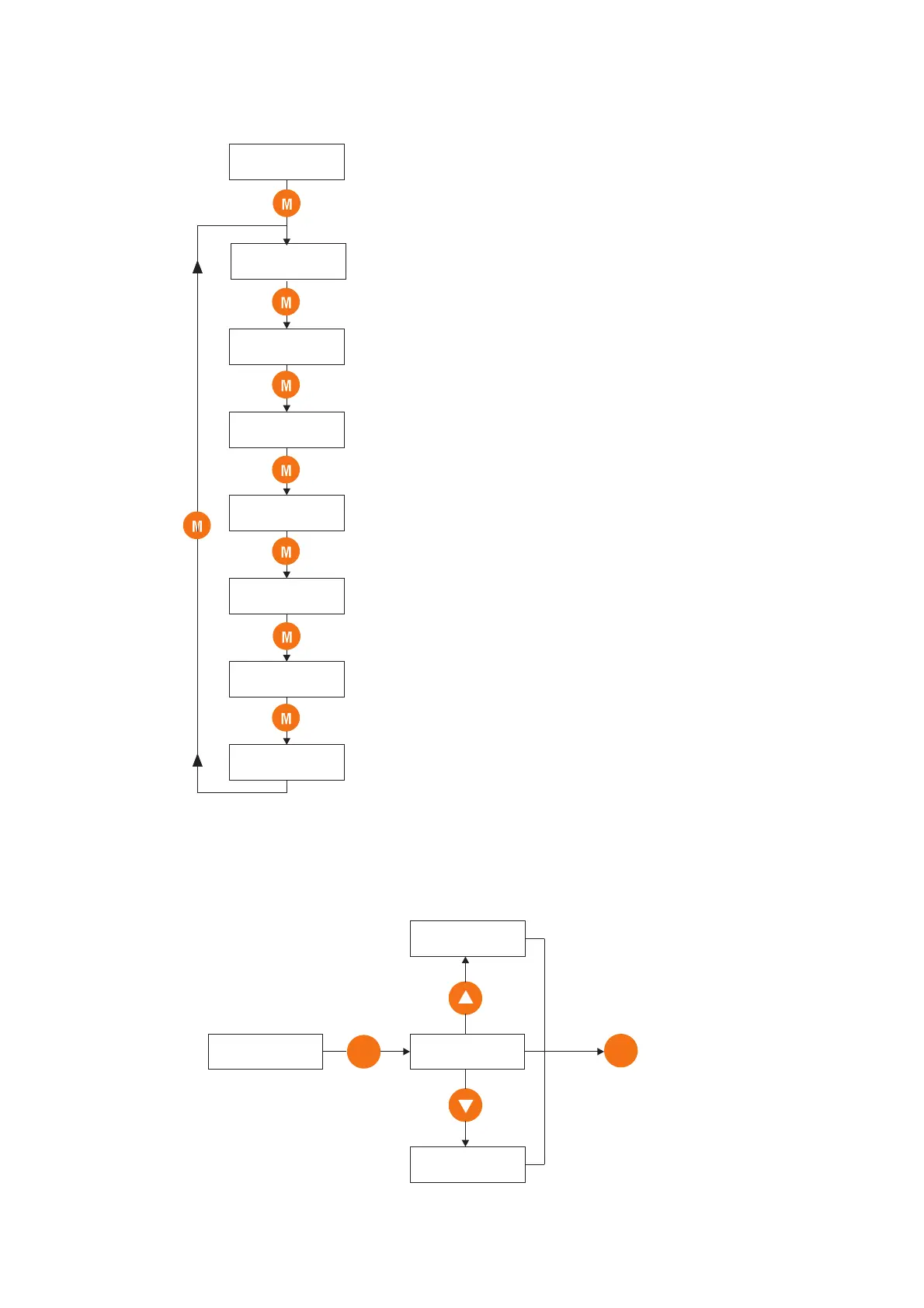
When the drive is powered on, the display automatically shows parameter d.000 [Output frequency] in the DISPLAY
menu.
d000
0.0 Hz
S000
I000
F000
-
P000
A000
C000
Menu of read-only parameters (display)
Menu of basic drive start up parameters
Menu of input/output drive settings (digital/analog)
Menu of multi frequencies and ramps settings
Menu of read/write drive parameters
Menu of PID function settings
Menu of control-type parameters (Save, Load default, etc.)
Output frequency
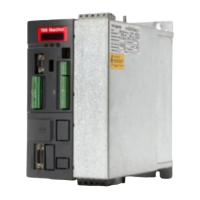
Example: how to change a frequency reference (FREQ & RAMP menu).
F100
E
0.0 Hz
Decrease
- 200 Hz
10.0 Hz
Increase
E
To confirm
new setting
desired
Frequency ref 0


 To Next Page