User Manual Chapter 7 - Parameters Description 39
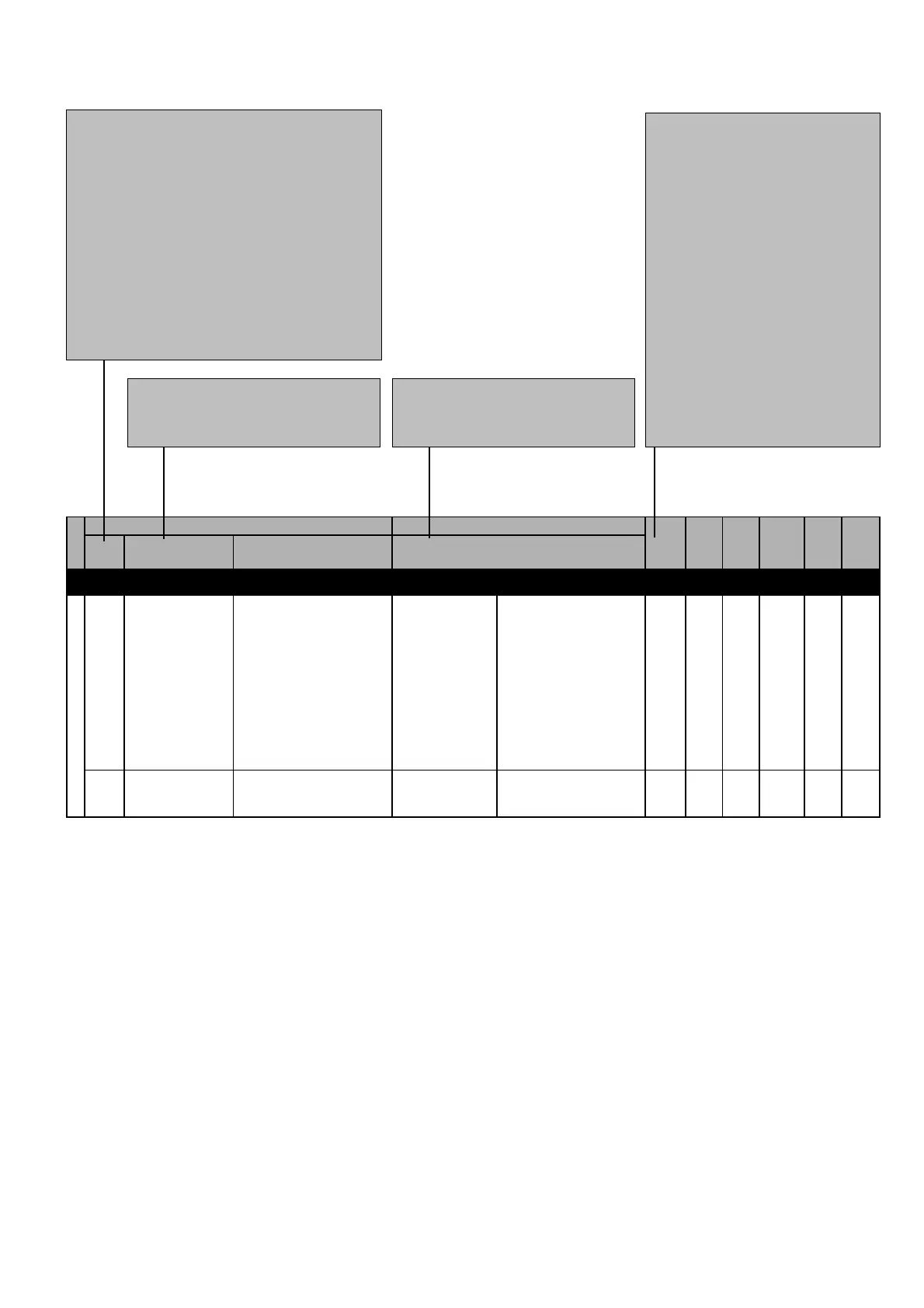
Figure 7.1: Parameters Description Legend
CODE: Parameter Code, showed on display.
Format = X.YYY:
X = Menu d=DISPLAY
S=STARTUP
I=INTERFACE
F=FREQ & RAMPS
P=PARAMETER
A=APPLICATION
C=COMMAND
H=HIDDEN
YYY = Parameter number
S.000
S.001
Mains voltage
Mains frequency
Rated value of the line
voltage
Rated value of the line
frequency
110
220
230
240
50
60
110V
220V
230V
240V
50Hz
60Hz
230
(****)
110
(****)
240
(****)
V
Hz
404
(P.020)
405
(P.021)
POWER SUPPLY
START-UP
IPA
CODE NAME
PARAMETER PICK LIST
DESCRIPTION
[CODE]
FUNCTION
DESCRIPTION
DEFAULT
MIN
MAX
UNIT
VARIATION
S.MENU
(ALIAS)
NOTE!
(ALIAS): On STARTUP menu only. Parameter code of same parameter on other menu .
(*): Parameter value dependent of the drive size.
(**): Parameter value dependent of the drive nominal main voltage and main frequency.
(***): Value dependent of the setting of another parameter.
(****): Value dependent of the drive type: 230 ....
[CODE]: PICK LIST CODE [IN BRAKET]NAME: Parameter name,
showed on display
Parameter default value
Parameter minimum value
Parameter maximum value
Parameter unit of measure
Parameter step of variation
Parameter sw number, used via serial


 To Next Page