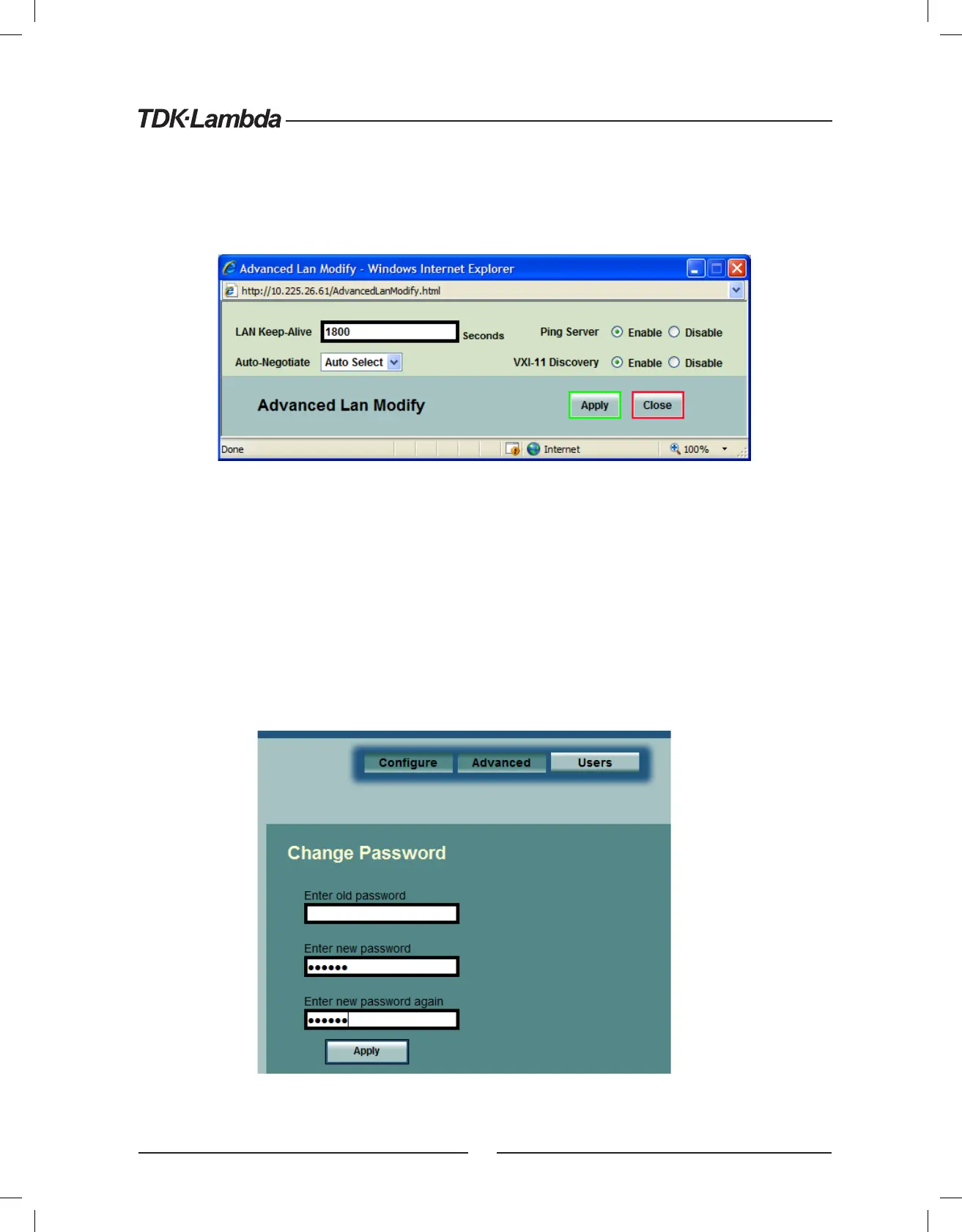
6.6.4. LAN ➞ Advanced ➞ Modify Page
In the window below, you may enter new values for the LAN settings. Changes to these setting will take
place when the “Apply” button is clicked. The web page does not have to be re-started after changing
these settings
The window’s fields are described in section 6.6.3 above
6.6.5. LAN ➞ Users Page
This page allows you to create password protection for the web pages. There is no password protection
for automation programming with VISA or sockets (see section 7 and section Error! Reference source not
found.)
By default, the “old password” is blank. The new password must be four or more characters long.
Reset the password: once a password is applied, it may be changed by using this screen, but it can only
be removed by performing the “LAN Reset” function from the power supply front panel (see section 5.3)
29













 To Next Page