18
Listening through headphones
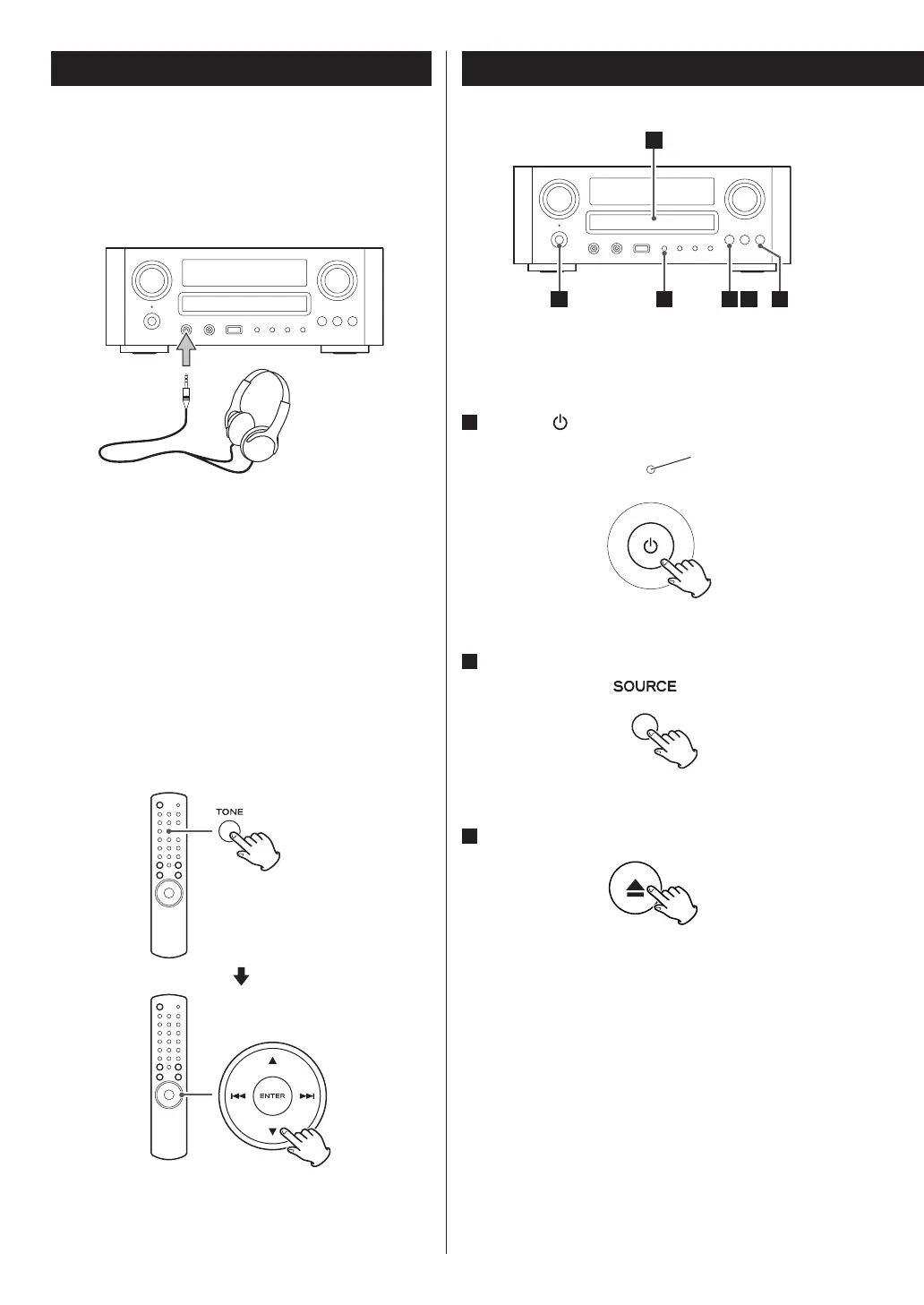
Insert the headphone plug into the PHONES jack,
and adjust the volume. The sound from speakers and
subwoofer will be cut off.
How to adjust the bass/treble sound
and sound balance
You can change the bass and treble sound between
“-10” to “+10”. You can also change the sound balance
between the left/right speakers (The setting value is
between L (Left) +6 to R (Right) +6).
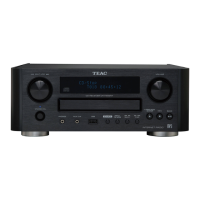
Press the TONE button repeatedly to select BASS,
TREBLE, or BALANCE CENTER. And then press the
scroll buttons (˙/¥) to adjust the bass or treble, or
press the skip/scan buttons (.//) to adjust the
balance within 3 seconds.
You can use the MULTI JOG knob to adjust the bass or
treble.
Playable disc/files of this unit are as follows:
Discs: CD-DA/CD-R/CD-RW
Files: MP3/WMA
1
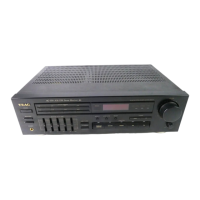
Press the button to turn the unit on.
The Standby/On indicator turns from orange to blue.
2
Press SOURCE button to select “CD.”
“No Disc“ will be displayed if no disc has been inserted.
3
Press the open/close button (L).
Standby/On indicator
Disc Playback
1
2
6
3 5
Basic Operation (2)



 To Next Page