52
< Before listening to Media Player, perform setup for the
Internet connection. For details, see “Initial Network
Setup” on page 42.
1
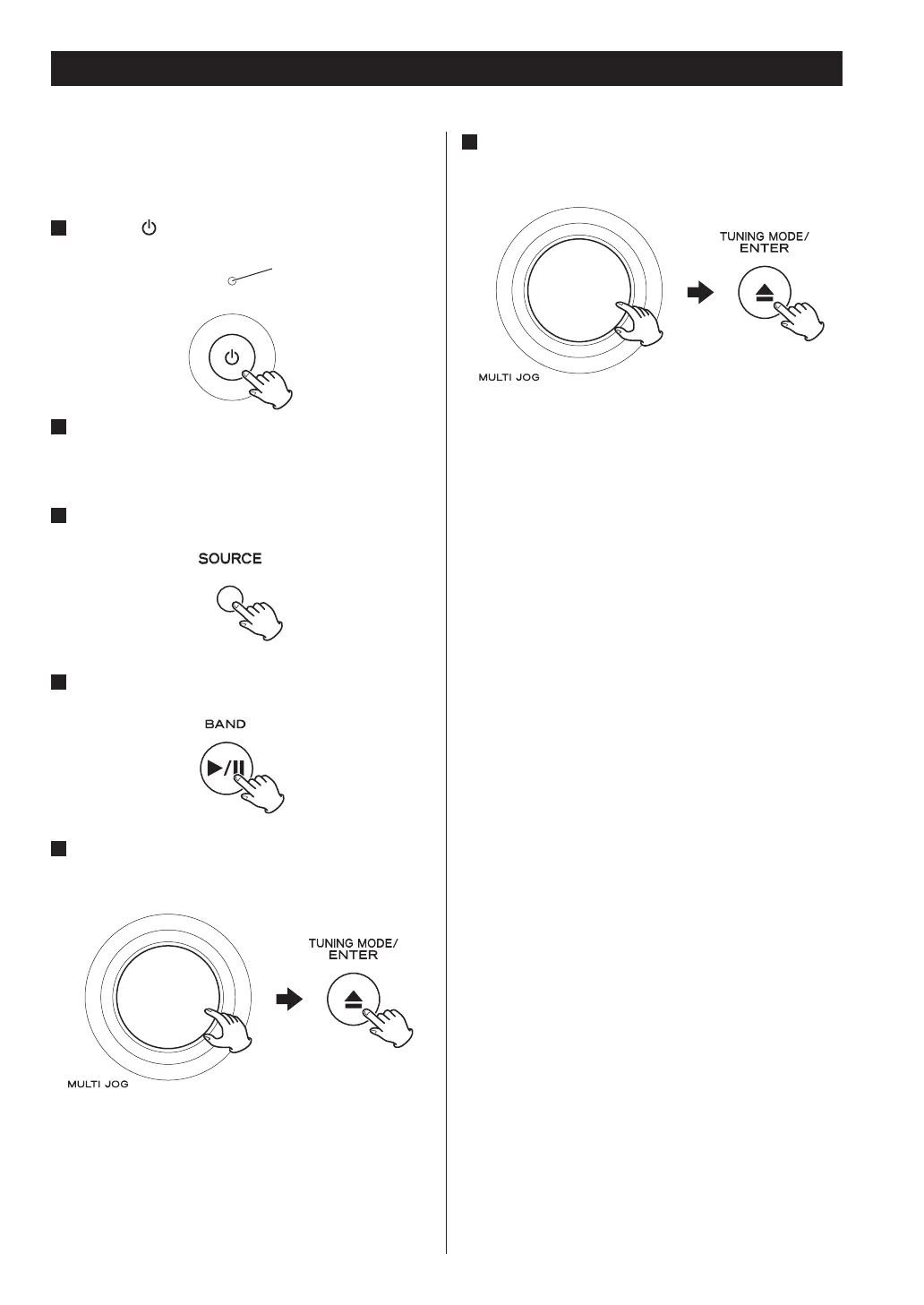
Press the button to turn the unit on.
2
Connect the unit and the computer or NAS
(Network Attached Storage) server to the
network.
3
Press the SOURCE button repeatedly to select
TUNER mode.
4
Select “Media Player” by pressing the BAND
button repeatedly.
5
Select a computer or a server to use.
Turn the MULTI JOG knob to select the item, and then
press the ENTER button.
Listening to Media Player
Standby/On indicator
6
Select a file to play back.
Turn the MULTI JOG knob to select the item, and then
press the ENTER button.
This unit can display only single-byte alphanumeric
characters. If a file includes double-byte characters (such
as Japanese, Chinese, etc.), they cannot be displayed
correctly. However, it does not affect file playback.


 To Next Page