56
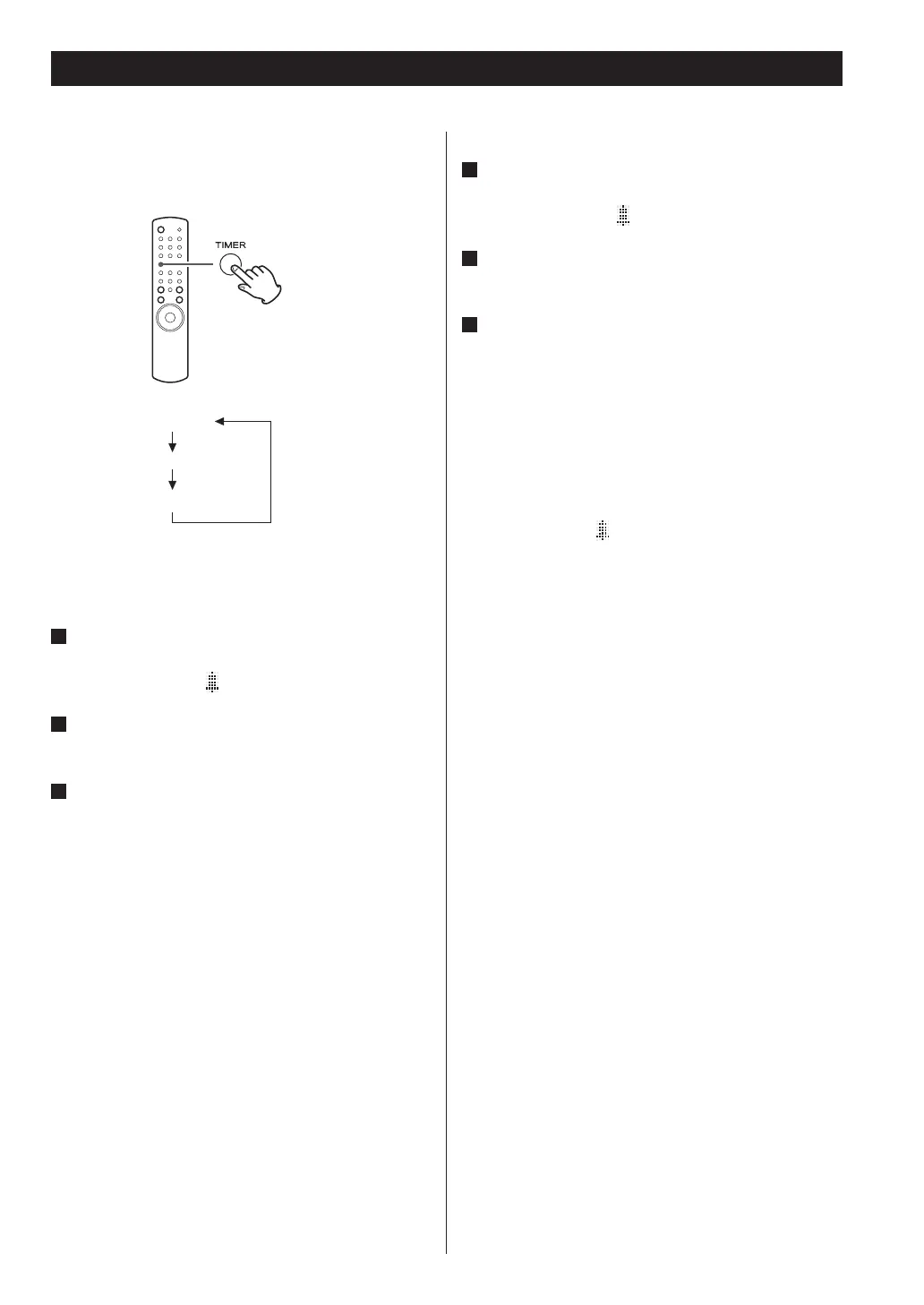
Every time you press the TIMER button on the
remote control unit, the timer mode changes as
follows.
Timer Daily
Timer Once
Timer Playback (for daily playback)
1
Select “Timer Daily” by pressing the TIMER
button on the remote control unit.
The timer indicator “ ” lights on the display.
2
Prepare for the timer playback.
Adjust the volume, tune in a station, etc.
3
Press the STANDBY/ON button to put the unit in
standby mode.
Everyday when the On time is reached, the unit will
turn on and start playback, and when the Off time is
reached the unit will return to standby.
Timer Operation
Timer Playback (for playback once)
1
Select “Timer Once” by pressing the TIMER
button on the remote control unit.
The timer indicator “ ” lights on the display.
2
Prepare for the timer playback.
Adjust the volume, tune in a station, etc.
3
Press the STANDBY/ON button to put the unit in
standby mode.
When the On time is reached, the unit will turn on and
start playback, and when the Off time is reached the
unit will return to standby.
Timer off
When not using the timer, press the TIMER button
on the remote control unit to select “Timer Off”.
The timer indicator “ ” disappears from the display.


 To Next Page