24
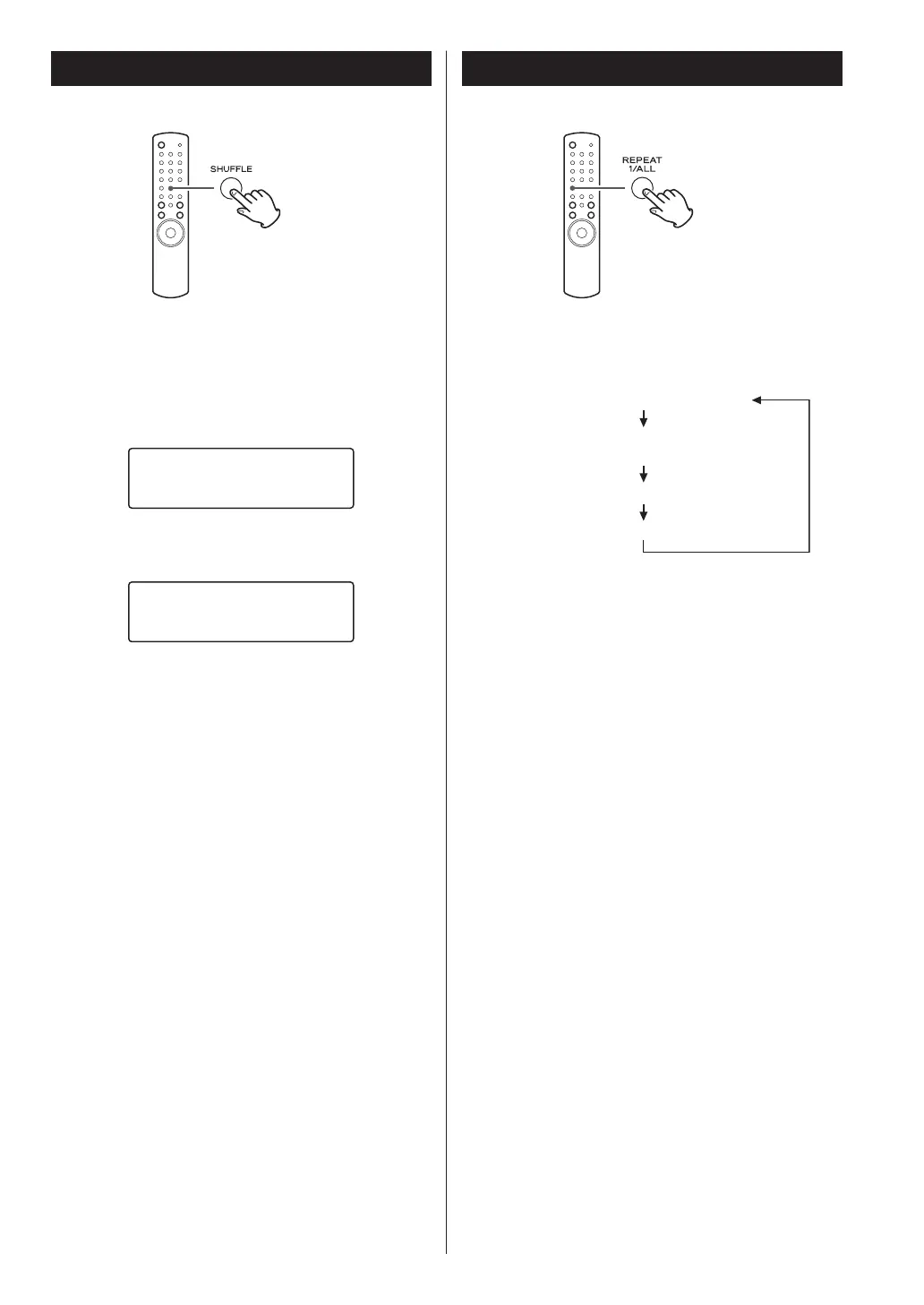
When the SHUFFLE button is pressed, the tracks/files on
the disc or USB device will be played randomly.
When CD is selected
CD/Random
T003 00:07
When USB is selected
86%5DQGRP
:0$
< If you press the / button during shuffle playback,
the next track/file will be randomly selected and
played. If you press the . button, the currently
played track/file will be played from the beginning.
< To cancel shuffle playback, press the SHUFFLE button.
< To stop shuffle playback, press the stop button (H).
< When USB is selected, the tracks/files in the folder
currently selected are played back randomly.
Shuffle Playback
Every time the REPEAT 1/ALL button is pressed, the mode
is changed as follows:
(Repeat O)
RPT 1 (repeat one track/le)
RPT Folder
(repeat all tracks/les in the f
older: CD mode only)
RPT ALL
< When the stop button (H) is pressed the repeat mode
is cancelled.
Repeat One Track/File (RPT 1)
The track/file being played will be played repeatedly.
If you select another track/file in “RPT 1” mode, the
track/file you selected will be played repeatedly.
In CD mode, if you select “RPT 1” mode in the stop
mode and select a track/file, the selected track/file
will be played repeatedly.
Repeat Folder (RPT Folder: CD mode only)
All the files in the folder will be played repeatedly.
(MP3/WMA files only)
< During repeat playback, press the skip buttons
(.//) to move to another folder. The files in the
folder will be played back repeatedly.
Repeat All (RPT ALL)
In CD mode, all the tracks/files will be played
repeatedly. In USB mode, all the tracks/files in the
folder will be played repeatedly.
< In the program mode, the programmed contents are
played repeatedly.
Repeat Playback


 To Next Page