40
PTY Search
You can search for stations by programme type.
This function is available only on RDS services of FM
waveband in Europe.
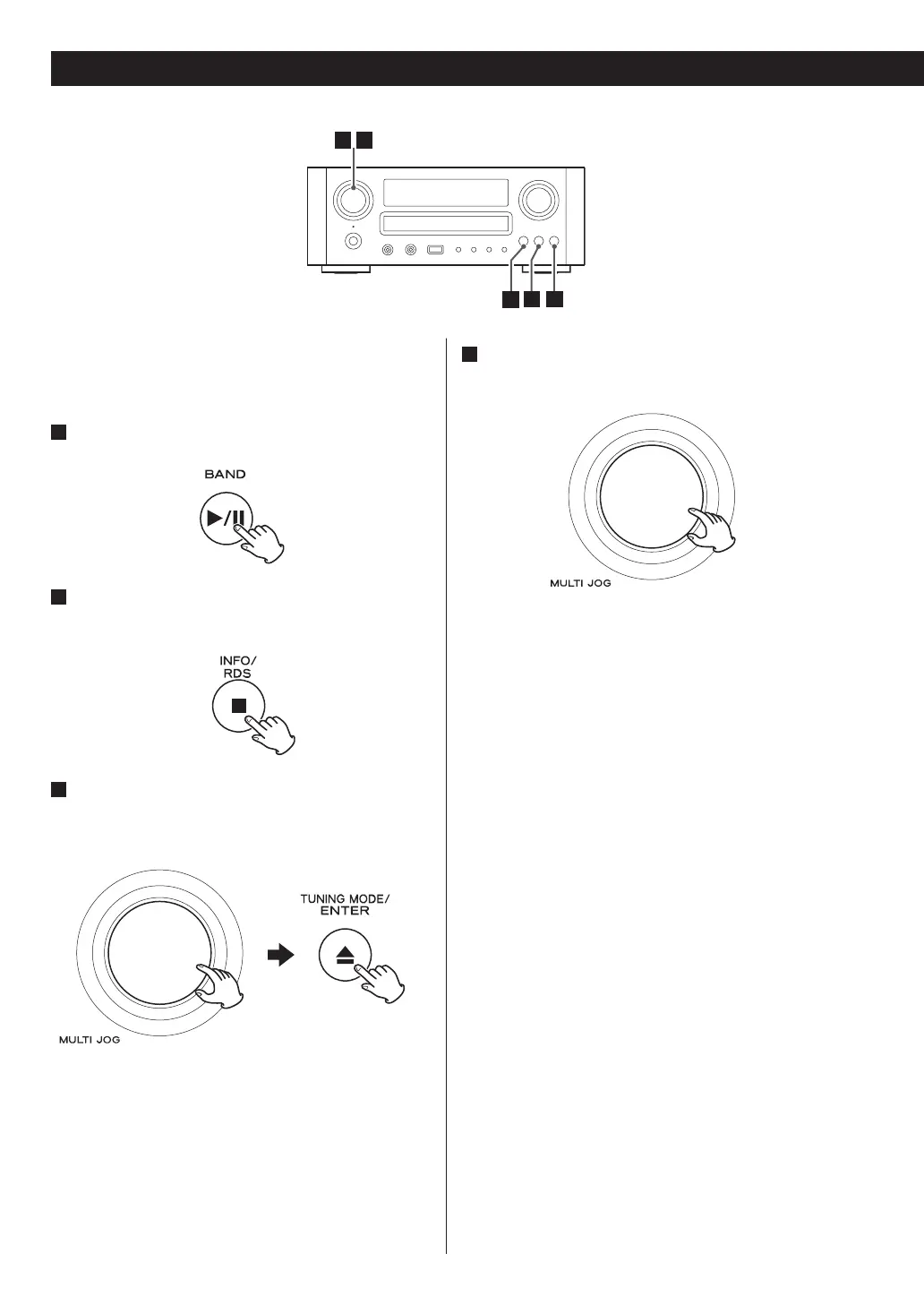
1
Select FM by pressing the BAND button
repeatedly.
2
Hold down the RDS button for more than 3
seconds.
3
Select the desired programme type (PTY).
Turn the MULTI JOG knob to select an item, and then
press the ENTER button.
Select your desired one from among 31 kinds of PTY
programmes.
The programme type will blink.
4
Turn the MULTI JOG knob within 3 seconds to
start searching.
< When the broadcast whose programme type you
have selected is found, searching stops and the
programme type will be displayed.
< If a broadcast of the selected programme type is not
found during PTY Search, it will stop at the very first
frequency.
< To stop searching, press the RDS button.
1
2
3


 To Next Page