ENGLISH
55
Setting the Timer
< Adjust the clock before setting the timer.
1
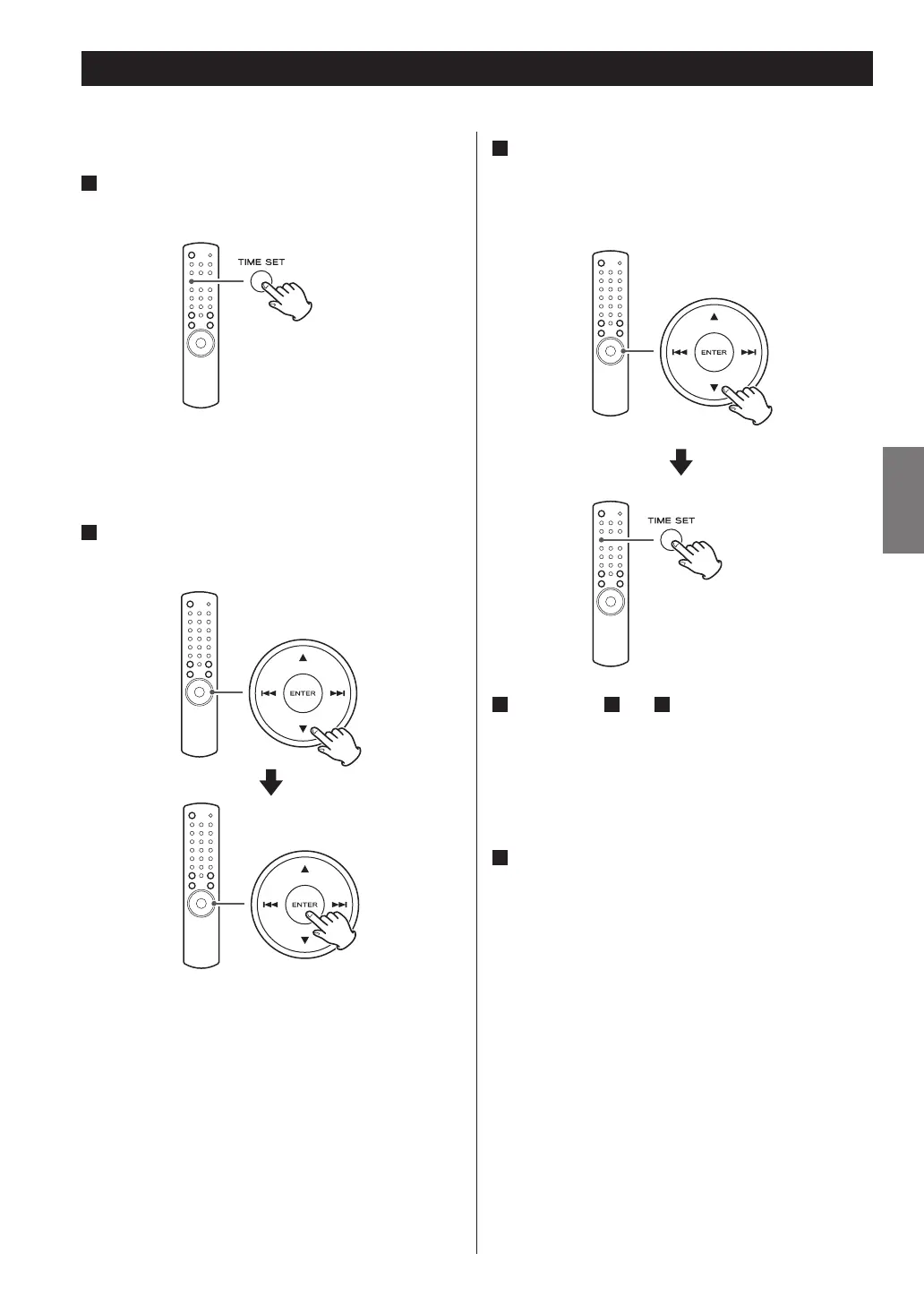
Press the TIME SET button repeatedly until “On
Time” is displayed.
“On Time” appears on the display, and the “hour” value
blinks.
2
Press the scroll buttons (˙/¥) to set the hour
value, and press the ENTER button.
The “minute” value blinks.
3
Press the scroll buttons (˙/¥) to set the minute
value, and press the TIME SET button.
“Off Time” appears on the display, and the “hour” value
blinks.
4
Repeat step
2
and
3
to set the Off time.
“Source Select” appears on the display.
< When you select “TUNER“ as the source, the band
is fixed as FM. The station selected when the timer
activates is the one selected last.
< You cannot select “USB/iPod“ as the source.
5
Press the scroll buttons (˙/¥) to select the
source, and press the ENTER button.
Now the timer setting is stored in memory.


 To Next Page