60
Updating the firmware via the
Internet
The software of the unit can be updated via the Internet
connection, so that you are able to use the latest features
of the unit. Regularly check for updates.
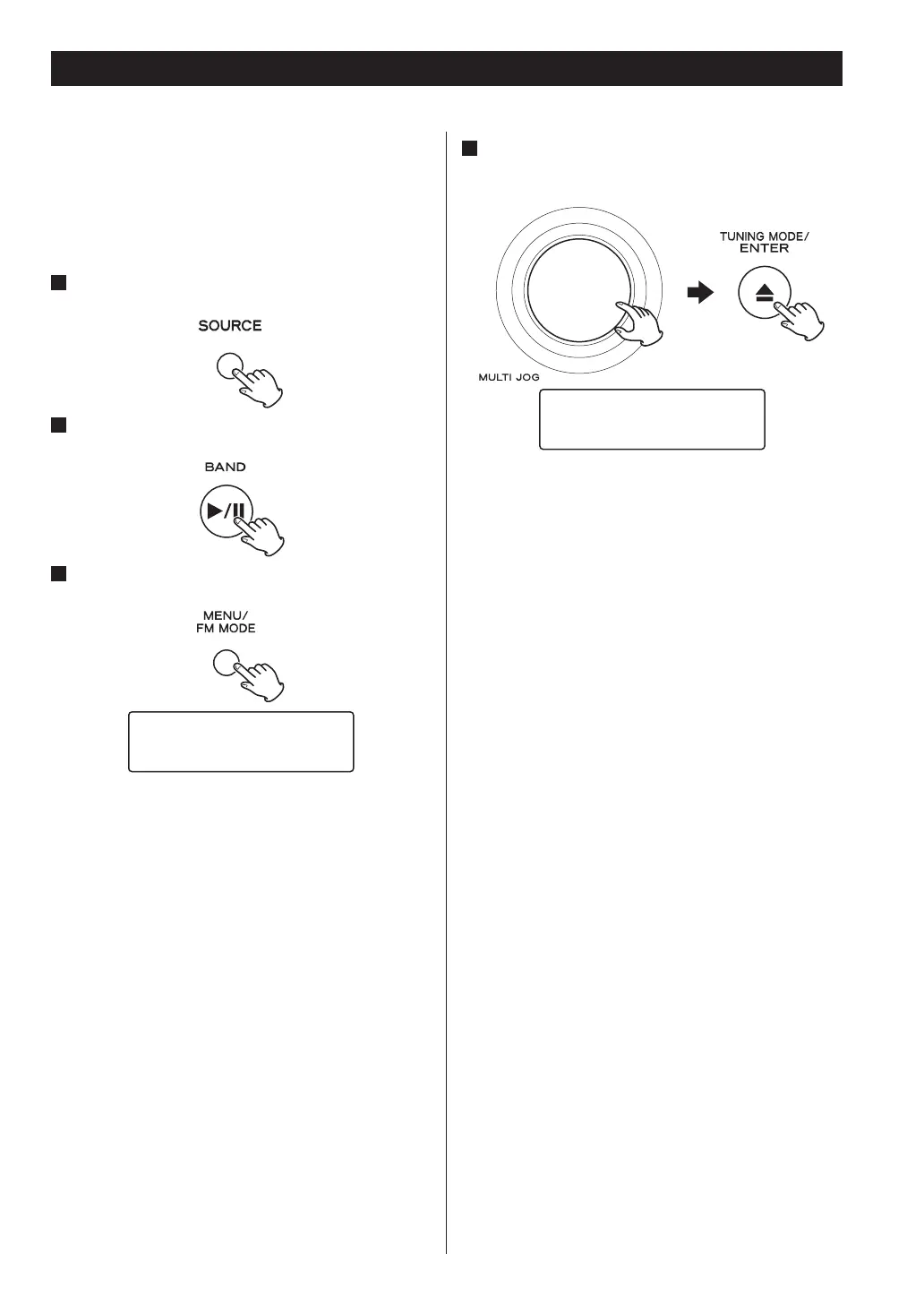
1
Press the SOURCE button repeatedly to select
TUNER mode.
2
Select “Internet Radio” by pressing the BAND
button repeatedly.
3
Open “Setup Menu”.
Press the MENU/FM MODE button.
6HWXS0HQX
¹'HYLFH1DPH(GLW
4
Select “Software Update” from “Setup Menu”.
Turn the MULTI JOG knob to select the item, and then
press the ENTER button.
Setup Menu
›Software Update
When “Software Update” is displayed, press the ENTER
button. Turn the MULTI JOG knob to select “USB” or
“Internet”, then press the ENTER button. When you
select “USB”, insert a USB memory into the USB port on
the unit in advance.
If an update is available, the unit automatically starts
download and installation of the new software.
< You can check the current software version of your
unit using “Setup Menu”. Follow the menu items as
follows:
“Setup Menu” w “Information” w “Firmware Version”
Updating the firmware (2)


 To Next Page