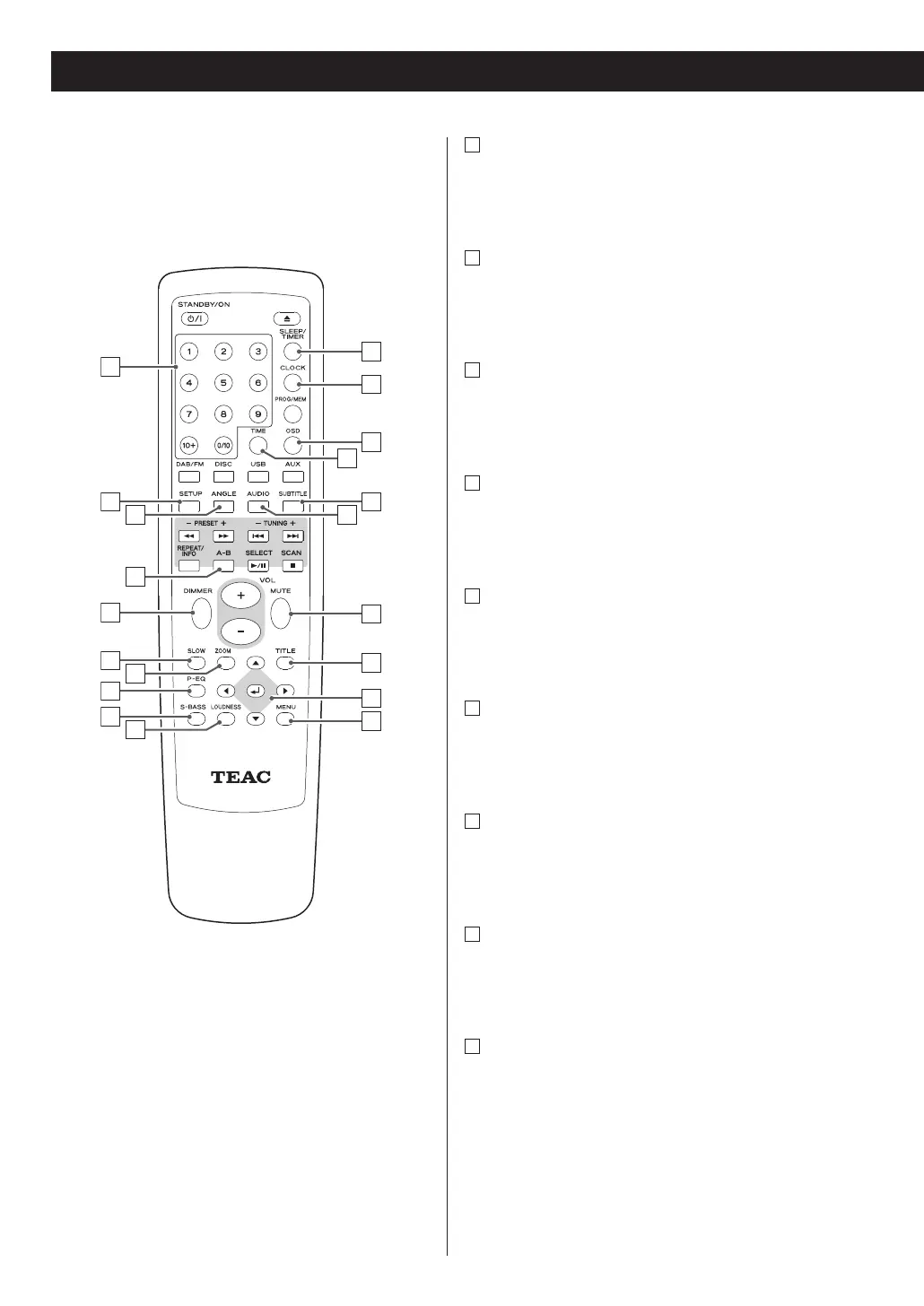
A
Number buttons
Use these buttons to key in track numbers,
passwords, preset channels, etc.
B
SETUP
Use this button to enter the setup menu where you
can set up the parameters of the unit.
C
ANGLE
Use this button to select camera angles during DVD
playback.
D
REPEAT A-B
In DISC or USB mode, use this button to specify a
section and play it repeatedly.
E
DIMMER
Use this button to change the brightness of the
front panel display.
F
SLOW
In DISC mode, use this button for slow motion
video playback.
G
ZOOM
In DISC or USB mode, use this button to zoom the
picture.
H
P-EQ (Preset Equalizer)
This button offers Classic, Jazz, Rock, Pop and Flat
(off) modes.
I
S-BASS
Use this button to boost bass.
18



 To Next Page