This chapter describes how to use the SETUP menu.
Most settings and adjustments are required to be set
when you first use the system.
Using the SETUP menu, you can adjust the picture
size, set a preferred language for audio and the OSD
(on screen displays), limit playback by children, et
cetera.
1
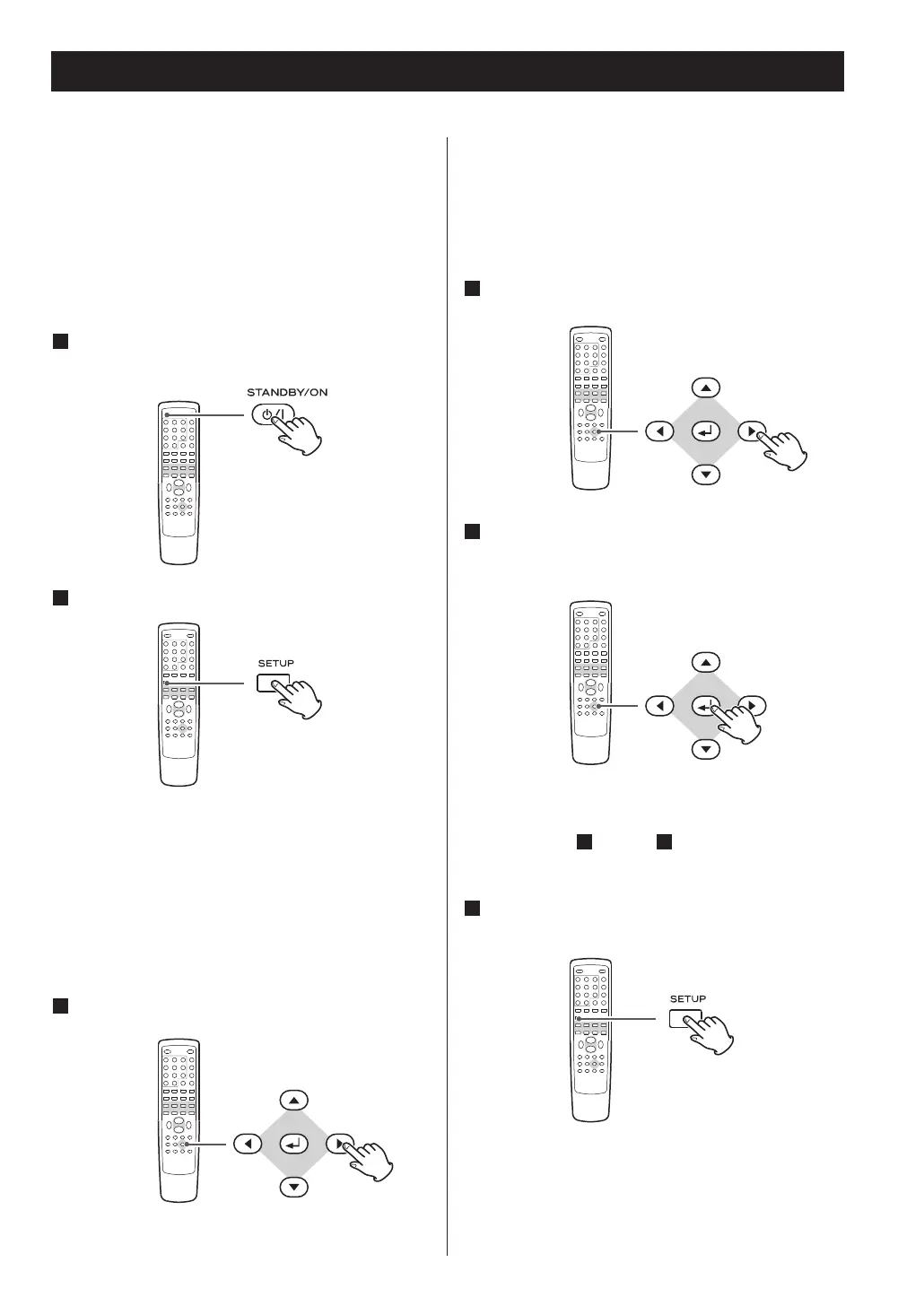
Turn on the main unit, and the television
(monitor).
Press the SETUP button.
2
The setup menu appears on the screen.
<
Exit the setup mode by pressing SETUP once again.
<
Although it is possible to enter the setup menu
while playback is continuing (or in resume mode),
not all menu functions will be available. Expand the
number of available functions by pressing the STOP
button twice.
3
Use the cursor buttons to navigate the menus.
If no cursor is visible on the screen, use the left and
right buttons to select a page.
Use the up and down buttons to highlight menu
items within the selected page.
Press the left button to return to the upper menu.
4
Enter the menu item with the right cursor
button.
5
Use the up and down cursor buttons to select
the options within the menu item, and ENTER
to confirm the entry.
39 through 43.



 To Next Page