5.SETTING OF FUNCTIONS
39
5-6. Digital Filter
The Digital Filter function obtains the moving average of Analog-to-Digital(A/D)
converted data and stabilizes the indicated values. The moving average count can be
selected from 4 to 64.
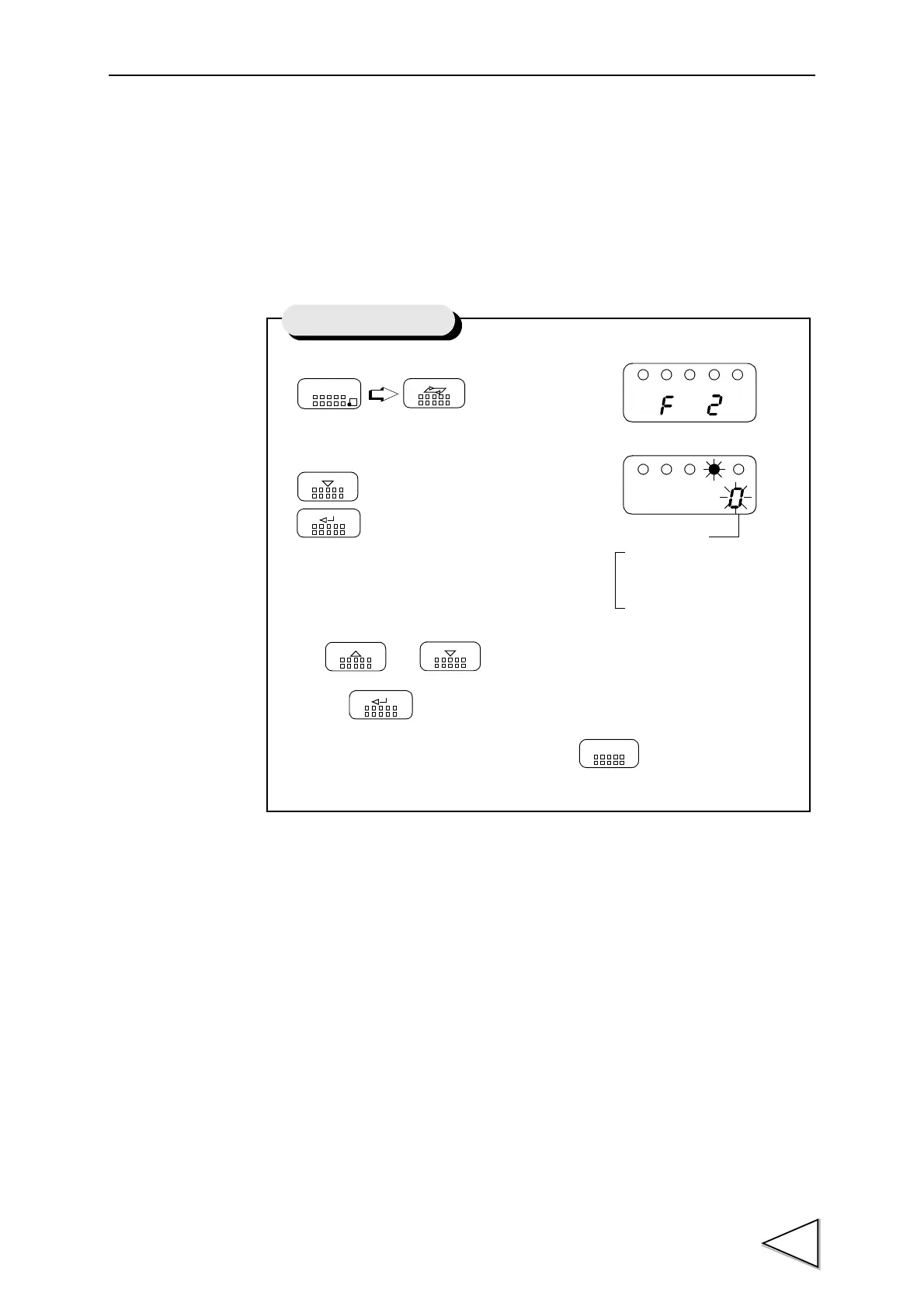
1) Select setting mode 2.
2) Select digital filter.
Use and keys to set the digtal filter,
then use key to validate the setting.
To return to the indicated value display, press key.
FNC
SEL
DOWN
ENT
UP
DOWN
ENT
ESC
Setting of Digital Filter
5 : 64 times
4 : 32 times
3 : 16 times
2 : 8 times
1 : 4 times
0 : OFF
Digital Filter


 To Next Page