5.SETTING OF FUNCTIONS
51
5-15. Display Frequency
The Display frequency function is used to select the times the indicated values are
displayed per second. A/D conversion count is fixed to 100 per second.
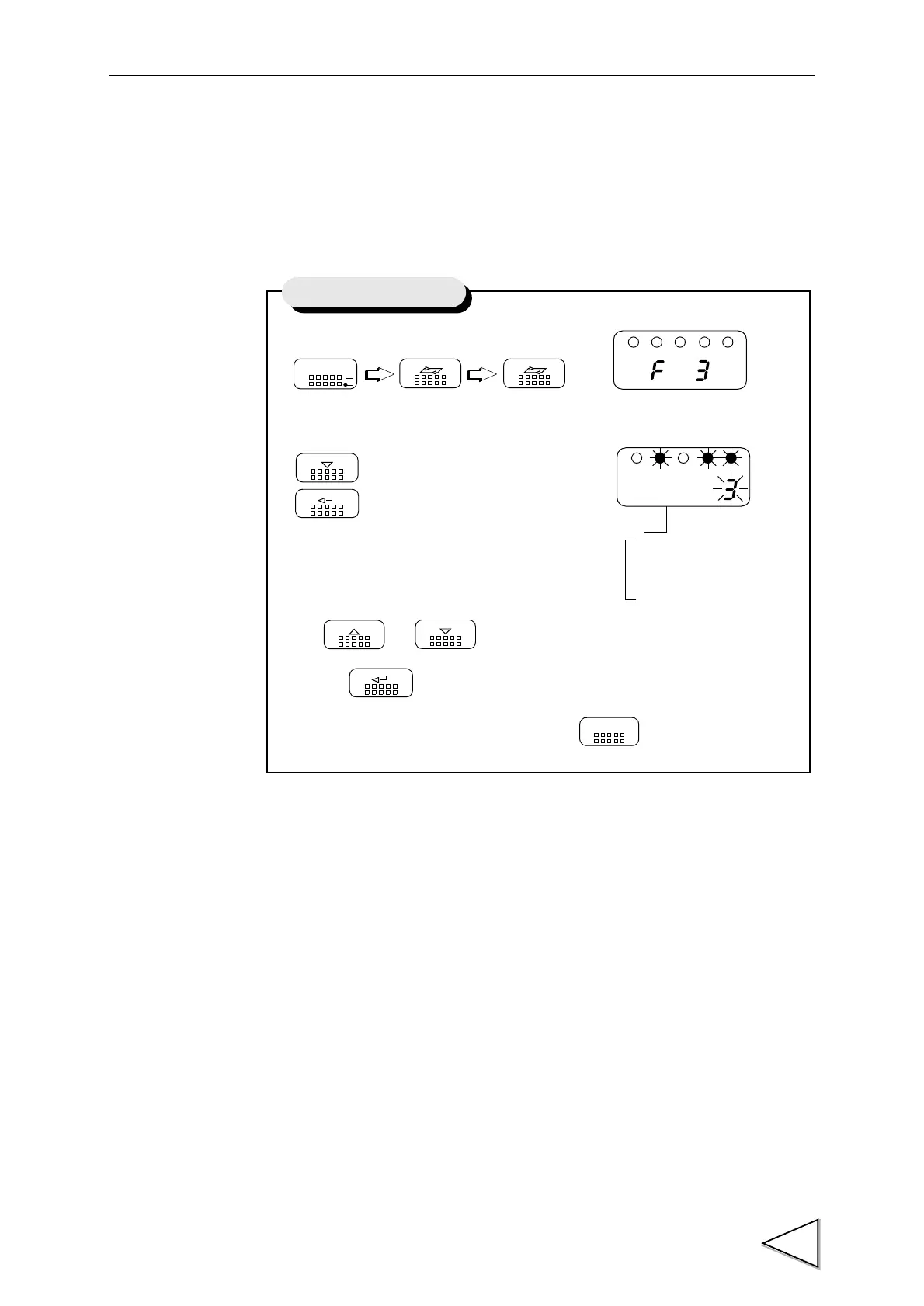
1) Select setting mode 3.
2) Select display frequency.
Use and keys to set the display frequency,
then use key to validate the setting.
To return to the indicated value display, press key.
FNC
SEL SEL
DOWN
ENT
Press three times.
UP
DOWN
ENT
ESC
Setting of Display Count
3 : 25/sec.
2 : 13/sec.
Display Frequency
1 : 6/sec.
0 : 3/sec.


 To Next Page