5.SETTING OF FUNCTIONS
43
5-9. Zero Tracking
The Zero Tracking function automatically tracks and compensates a fine shift of the zero
point due to a factor such as a drift.
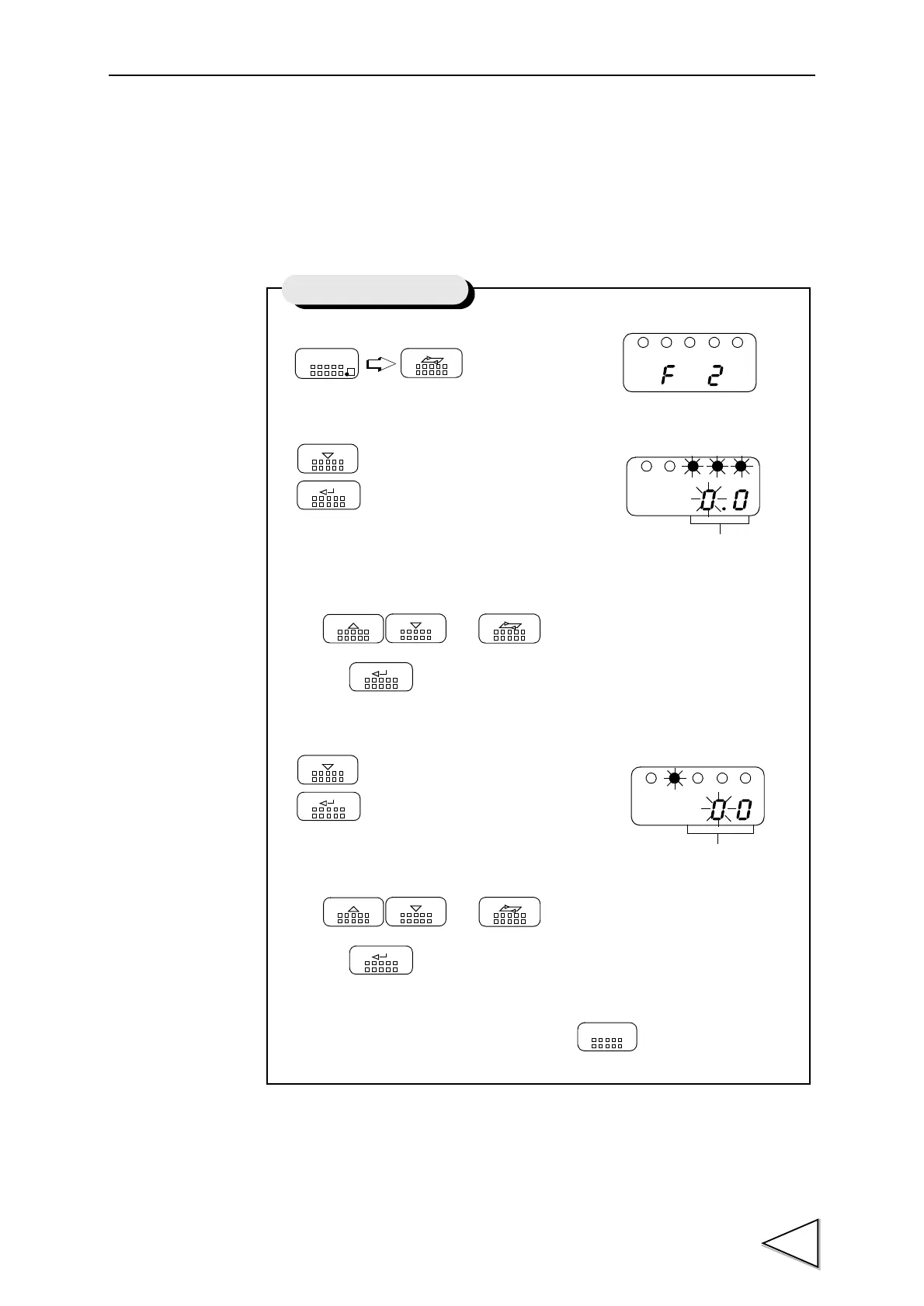
1) Select setting mode 2.
2) Select zero tracking(Time).
Use and keys to set the zero tracking (time),
then use key to validate the setting.
3) Select zero tracking(range).
Use and keys to set the zero tracking (range),
then use key to validate the setting.
To return to the indicated value display, press key.
FNC
SEL
DOWN
Press five times.
ENT
UP
DOWN SEL
ENT
DOWN
ENT
UP
DOWN SEL
ENT
ESC
Setting of Zero Tracking
Zero Tracking(Time)
Zero Tracking(range)
(0.0 to 9.9S)
(00 to 99)


 To Next Page