5.SETTING OF FUNCTIONS
48
5-12. Hold Value Printing
The Hold Value Printing function automatically prints out the peak value (held value)
on a TEAC printer connected to the TD-240A over the SI/F.
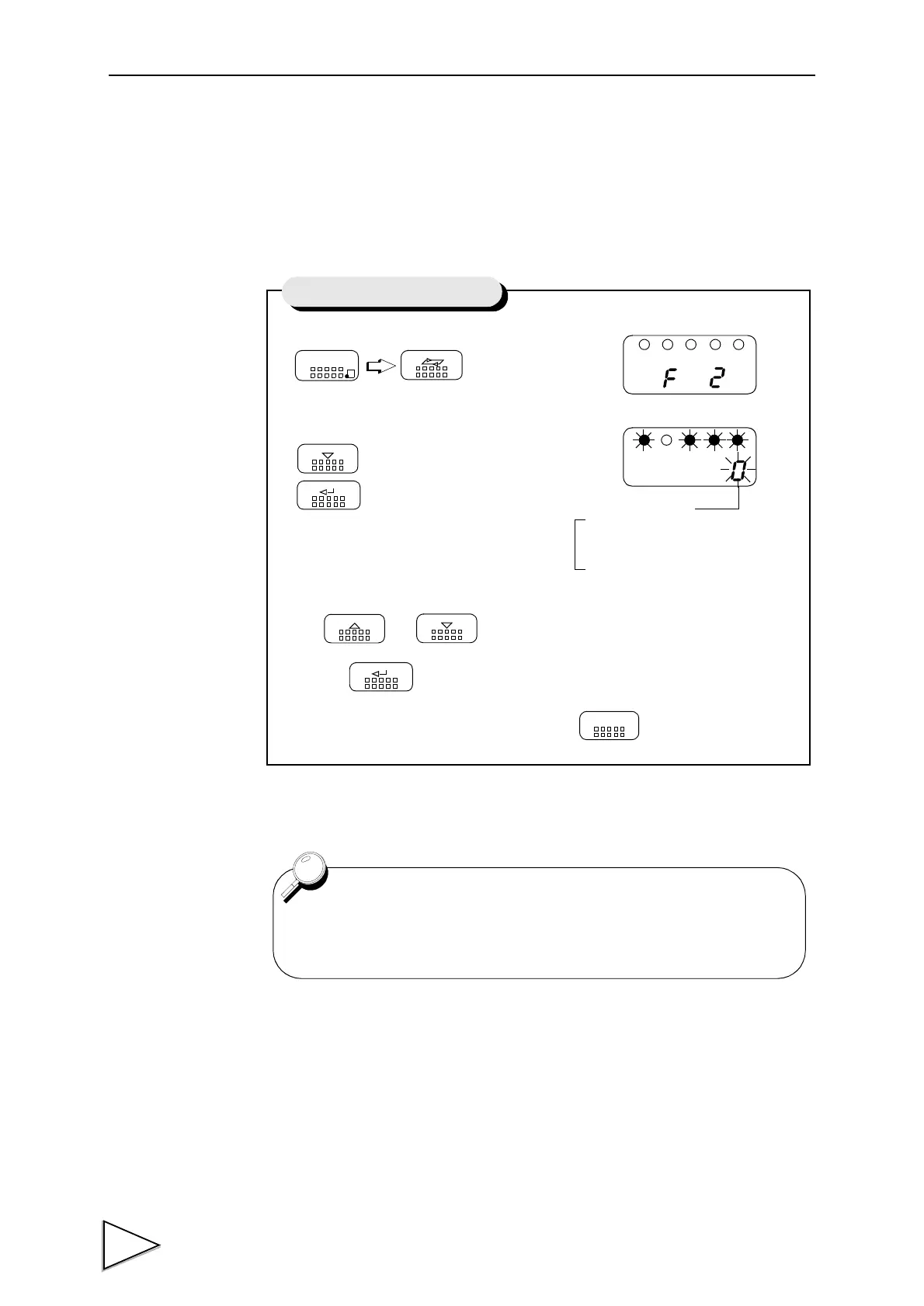
1) Select setting mode 2.
2) Select hold value printing.
Use and keys to set the hold value printing.
then use key to validate the setting.
To return to the indicated value display, press key.
FNC
SEL
DOWN
Press nine times.
ENT
UP
DOWN
ENT
ESC
1 : Hold value printed when Hold
0 : No printing
Setting of Hold Value Printing
Hold Value Printing
is canceled
If setting Hold Value Printing when the hold value canceled,
Automatic Printing did not work.


 To Next Page