MediaGateway User Manual
3.6.1.2 SFP module port
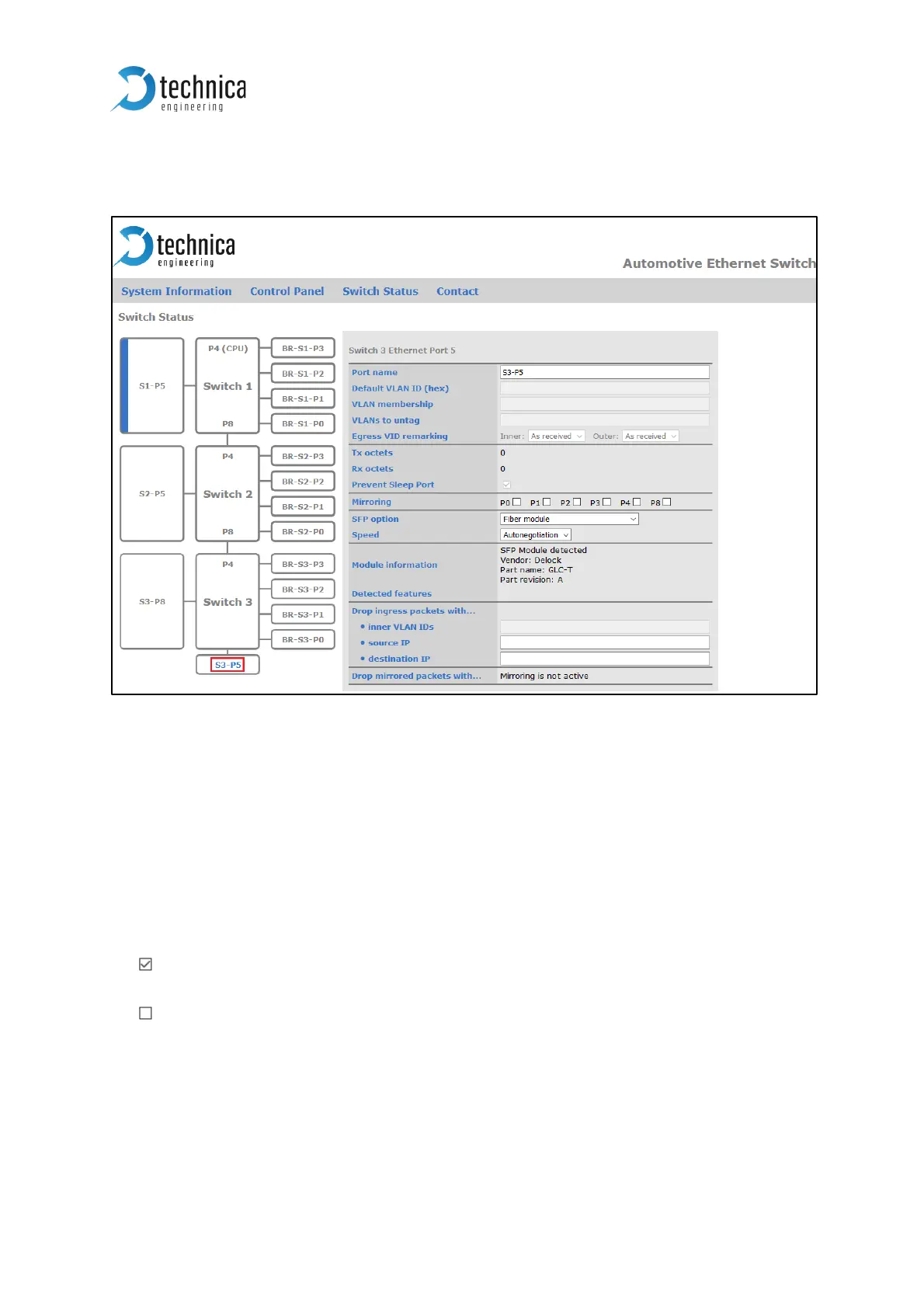
Figure 3-17: SFP Module Port
Port name: Here you can change the Port Name
Tx octets: decimal value of sent octets on this port.
Rx octets: decimal value of received octets on this port.
Prevent Sleep Port: This option is available if the function “Prevent sleep” on “Control
panel” tab is deactivated.
This port is monitored: If on this port is incoming traffic, the MediaGateway
doesn’t fall asleep.
This port is not monitored: The MediaGateway can fall asleep, even if there is
incoming traffic on this port.
Mirroring: On each switch only on port can be a mirroring port. Please select the ports
to be mirrored.



 To Next Page