To adjust EQ and SPA CE
("USER" mode)
You can adjust equalization curves and simulated listening environ-
ments as you like, and store them as the USER mode in its memory.
_t_ '-_ °__zJ
2
O0
O0
--..,
0
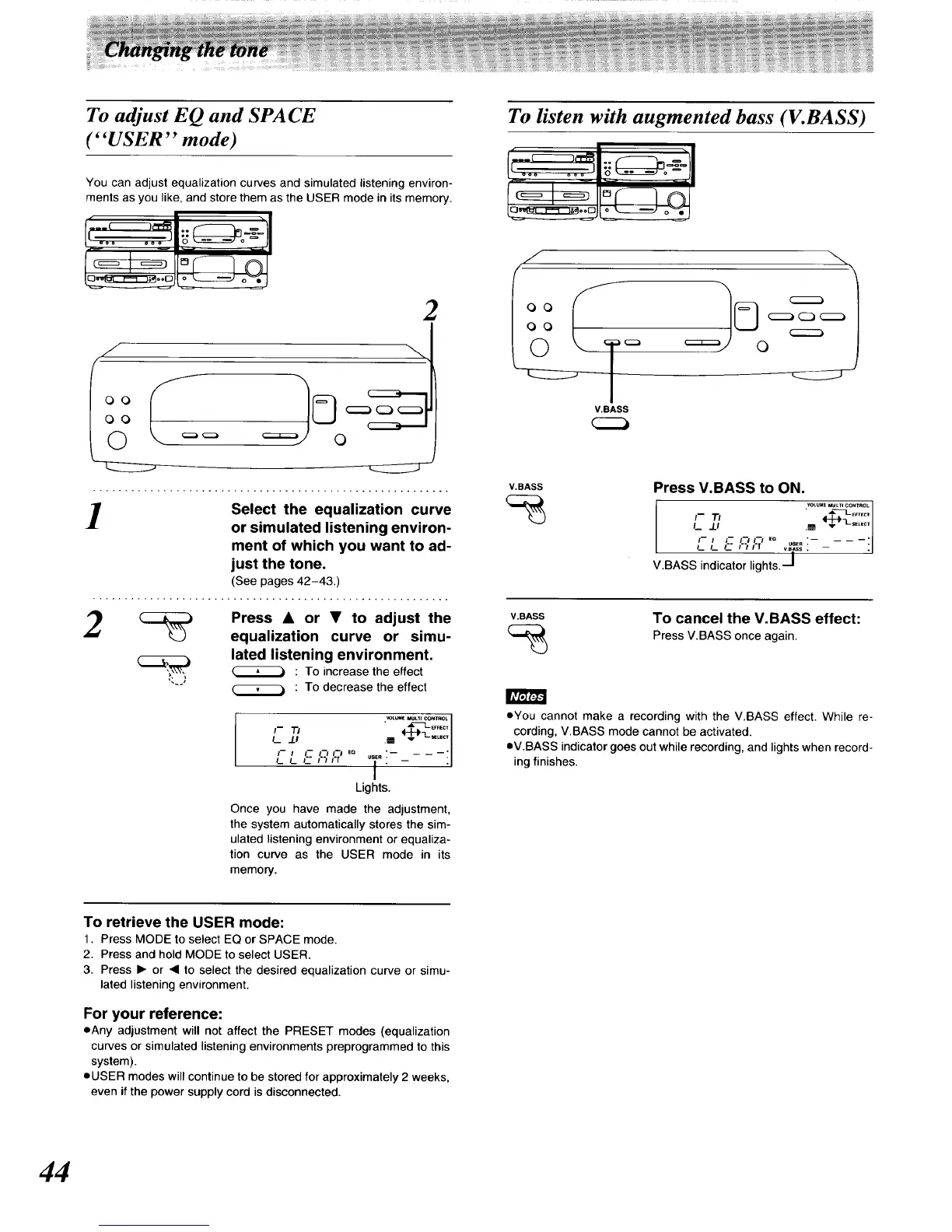
Select the equalization curve
or simulated listening environ-
ment of which you want to ad-
just the tone.
(See pages 42-43.)
'_ _ Press • or • tO adjust the
equalization curve or simu-
lated listening environment.
(_ : To increase the effect
: To decrease the effect
[Avz_L_
WL_[ MULTI CONTROL
I-- TI " _EF_G T
,-, ,-I_,1.?,o T:-_---il
L t._ F__"
Lights.
Once you have made the adjustment,
the system automatically stores the sim-
ulated listening environment or equaliza-
tion curve as the USER mode in its
memory.
To listen with augmented bass (V.BASS)
"---_-_,_1.. _ ='11
_L_-_ o'_
V.BASS
V.eASS Press V.BASS to ON.
(_ VOtUMEMUL_ICONTROL
L .U
I-- I I-- I'-/ I'-/ EO
L L L." F't I'l vB"SSUSE":-- :
V.BASS indicator lights. -j
V.BASS
To cancel the V.BASS effect:
Press V.BASS once again.
• You cannot make a recording with the V.BASS effect. While re-
cording, V.BASS mode cannot be activated.
eV.BASS indicator goes out while recording, and lights when record-
ing finishes.
To retrieve the USER mode:
1. Press MODE to select EQ or SPACE mode.
2. Press and hold MODE to select USER.
3. Press • or 41 to select the desired equalization curve or simu-
lated listening environment.
For your reference:
eAny adjustment will not affect the PRESET modes (equalization
curves or simulated listening environments preprogrammed to this
system).
oUSER modes will continue to be stored for approximately 2 weeks,
even if the power supply cord is disconnected.
44






 To Next Page