Stacking the components
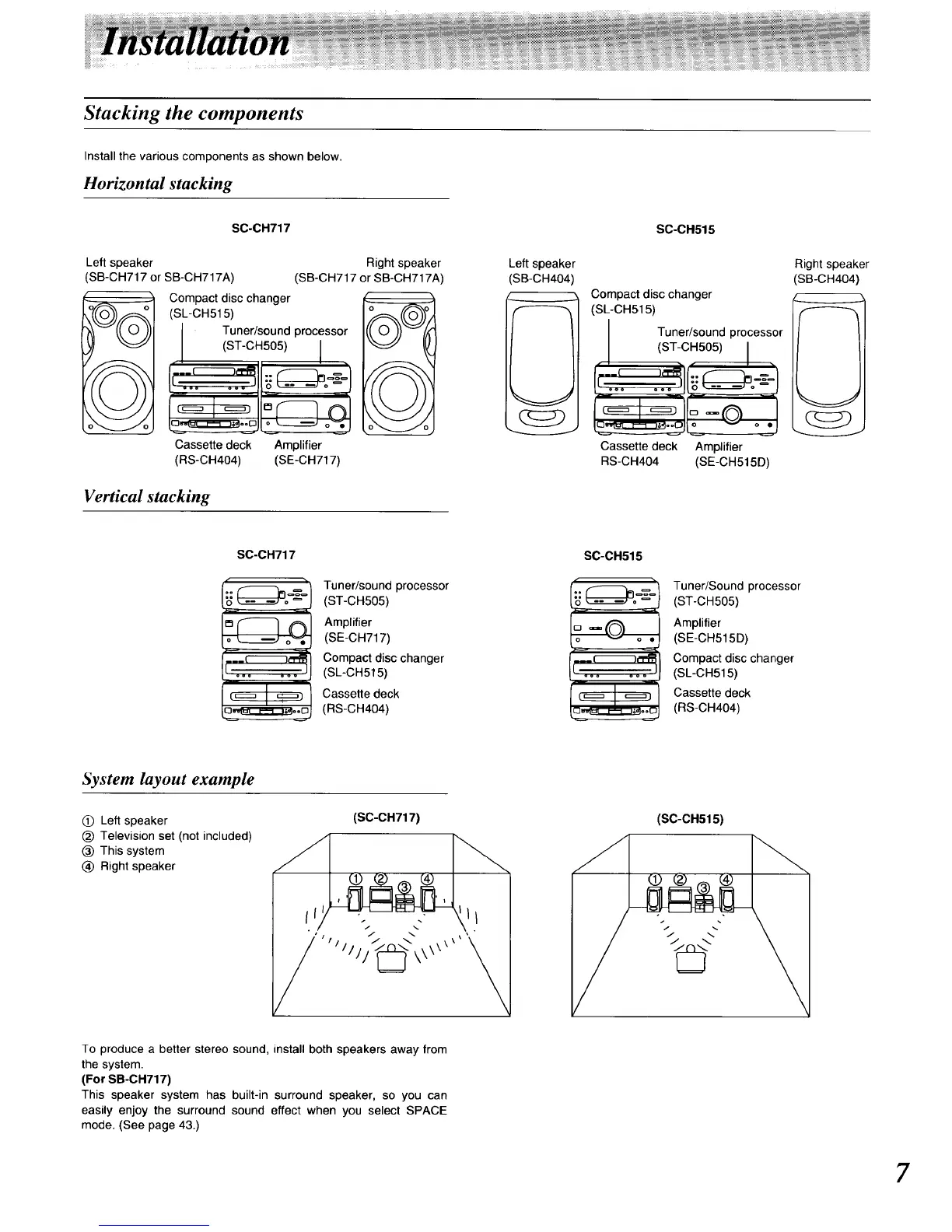
Install the various components as shown below.
Horizontal stacking
S0-CH717
Left speaker
SB-CH717 or SB-CH717A)
Right speaker
(SB-CH717 or SB-CH717A)
Compact disc changer
(SL-CH515)
Tuner/sound processor
(ST-CH505) I
Cassette deck Amplifier
(RS-CH404) (SE-CH717)
Vertical stacking
Left speaker
(SB-CH404
S0-0H515
Compact disc changer
(SL-CH515)
Tuner/sound processor
I iST-CHSO )I
Cassette deck Amplifier
NS-CH404 (SE-CH515D)
Right speaker
(SB-CH404)
SC-CH717
Tuner/sound processor
(ST-CH505)
Amplifier
(SE-CH717)
Compact disc changer
(SL-CH515)
Cassette deck
(RS-CH404)
SC-0H515
( -i
:j
.__ _,"PR
[ ooo ooo
Tuner/Sound processor
(ST-CH505)
Amplifier
(SE-CH515D)
Compact disc changer
(SL-CH515)
Cassette deck
(RS-CH404)
System layout example
(_) Left speaker
_) Television set (not included)
(_) This system
(_ Right speaker
(SO-OH717)
\\
(SC-CH515)
To produce a better stereo sound, install both speakers away from
the system.
(For SB-CH717)
This speaker system has built-in surround speaker, so you can
easily enjoy the surround sound effect when you select SPACE
mode. (See page 43.)
7






 To Next Page