RUN PERSONAL: Service & maintenance manual - rev. 3.1
Page 7.12
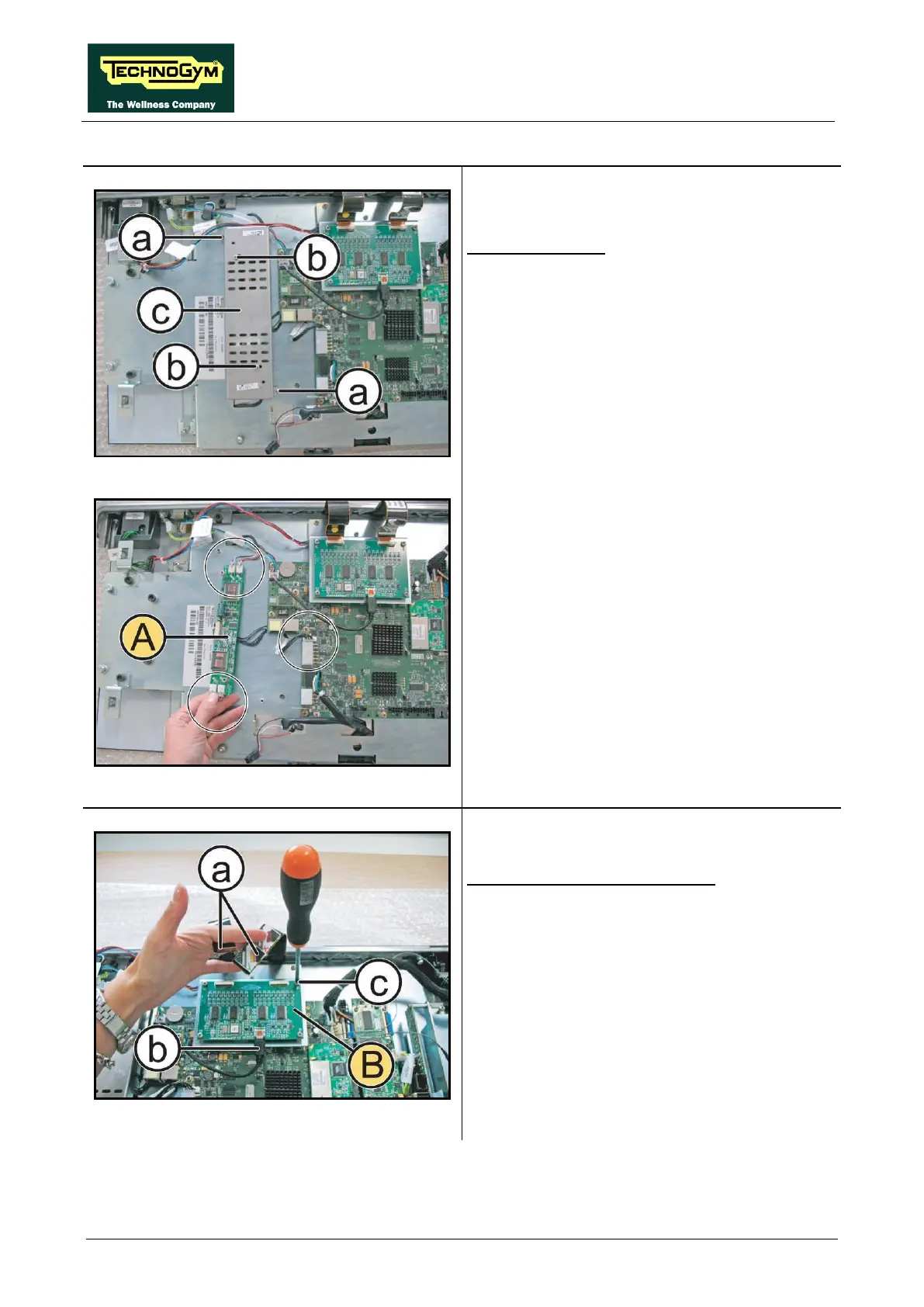
Figure 7.5-2
LCD inverter (A):
1. Back off the 2 screws (a)
securing the
inverter guard to the Display and the 2
screws (b)
securing the Inverter board to the
guard, using a small Phillips screwdriver.
2. Remove the inverter cover (c).
Figure 7.5-3
3.
Unplug the 5 connectors indicated in the
figure, and remove the Inverter Board (A).
Figure 7.5-4
Touch screen control board (B):
1. Unplug the 2 flat cables (a) and the connector
(b).
2. Back off the 4 screws (c)
Phillips screwdriver.
3. Remove the Touch Screen control board (B).
Continued on following page…












 To Next Page