17
3. Operation & Setting
a.No DiSEqC
1. Go to the dropdown list (1) of satellites and press the [OK] button.
2. Select a satellite and press the [OK] button
3. Press the [GREEN] button or press [OK] on save to save
4. Select a satellite search method and press the [OK] button. Press [OK] on the satellite
in the dropdown list
5. Once a transponder is locked, press the [GREEN] button or press [OK] on search to
start scanning the satellite
5.
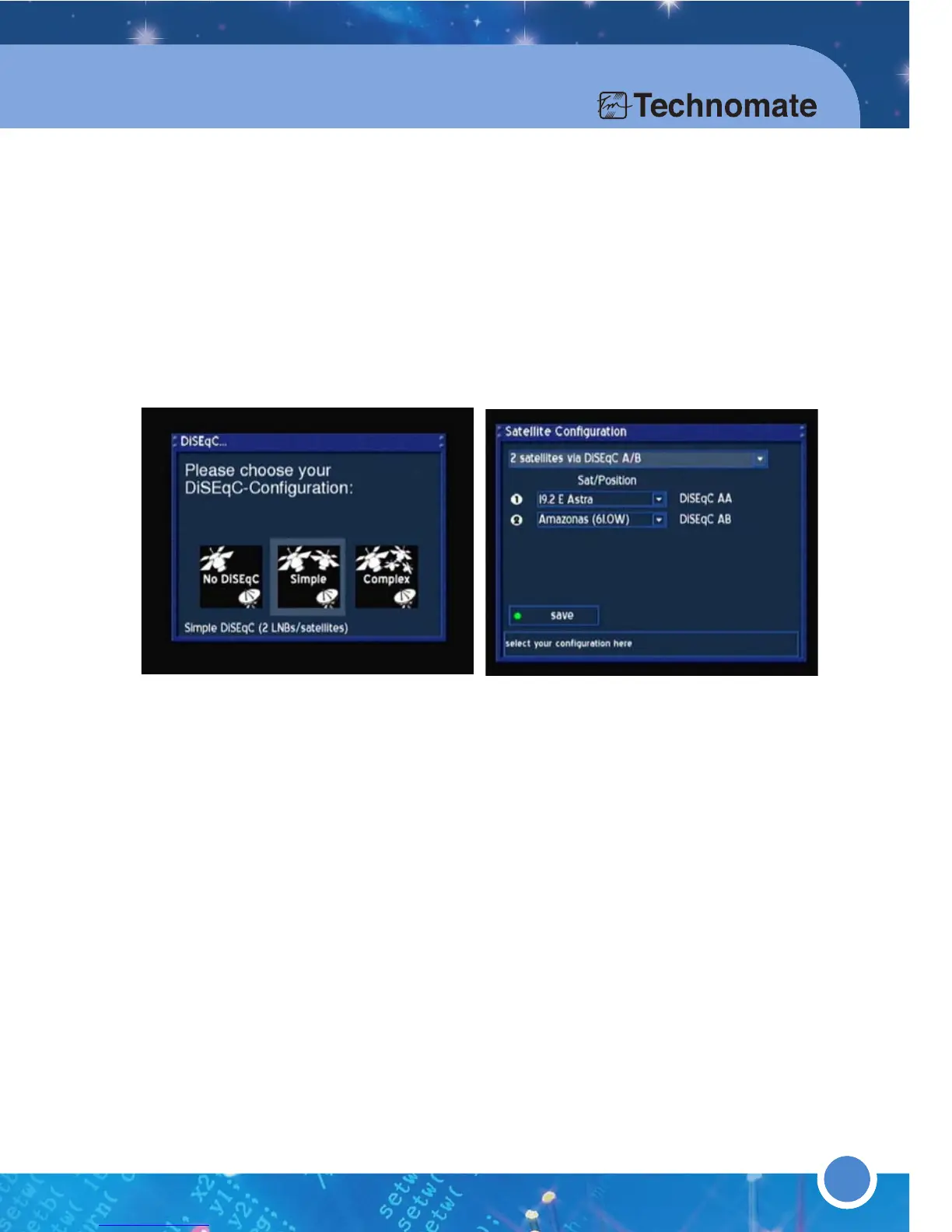
b.Simple
1.If you are using a 2-Way DiSEqC switch, proceed to step 3. If you are using
a 4-Way DiSEqC switch, proceed to step 2.
2.If you are using a 4-Way DiSEqC switch, go to dropdown list at the top of the menu
and press the [OK] button. Select ‘4 Satellites via DiSEqC OPT A/B’
3.Go to the dropdown lists of satellites and press the [OK] button in turn.
4.Select a satellite and press the [OK] button
5.
5.Press the [GREEN] button or press [OK] on save to save
6.Select a satellite search method and press the [OK] button. Press [OK] on a satellite
in the dropdown list
7.Once a transponder is locked, press the [GREEN] button or press [OK] on search to
start scanning the satellite
8.Repeat for other satellites
c.i Complex (Motor setup using USALS)
1.Press the [GREEN] button or press [OK] on save to save
2.Only if you know the mA of the Input Power of the motor, press the [OK] button on
"Use Motor Input Power" and enter the maximum current the Motor uses to move
the Dish/Antenna. If you do not know it, leave it unchecked.
3.Enter your Longitude and Latitude and press the [GREEN] button or press [OK] on
save to save. If you do not know your longitude and latitude, go to the Website
http://www.heavens-above.com to locate your geographical longitude and latitude.
4.Select a satellite search method and press the [OK] button. Press [OK] on a satellite
in the dropdown list
5.Once a transponder is locked, press the [GREEN] button or press [OK] on search to
start scanning the satellite
6.Repeat for other satellites
5.
18



 To Next Page