TD350 Series VFD Function parameter list
-163-
Detailed parameter description
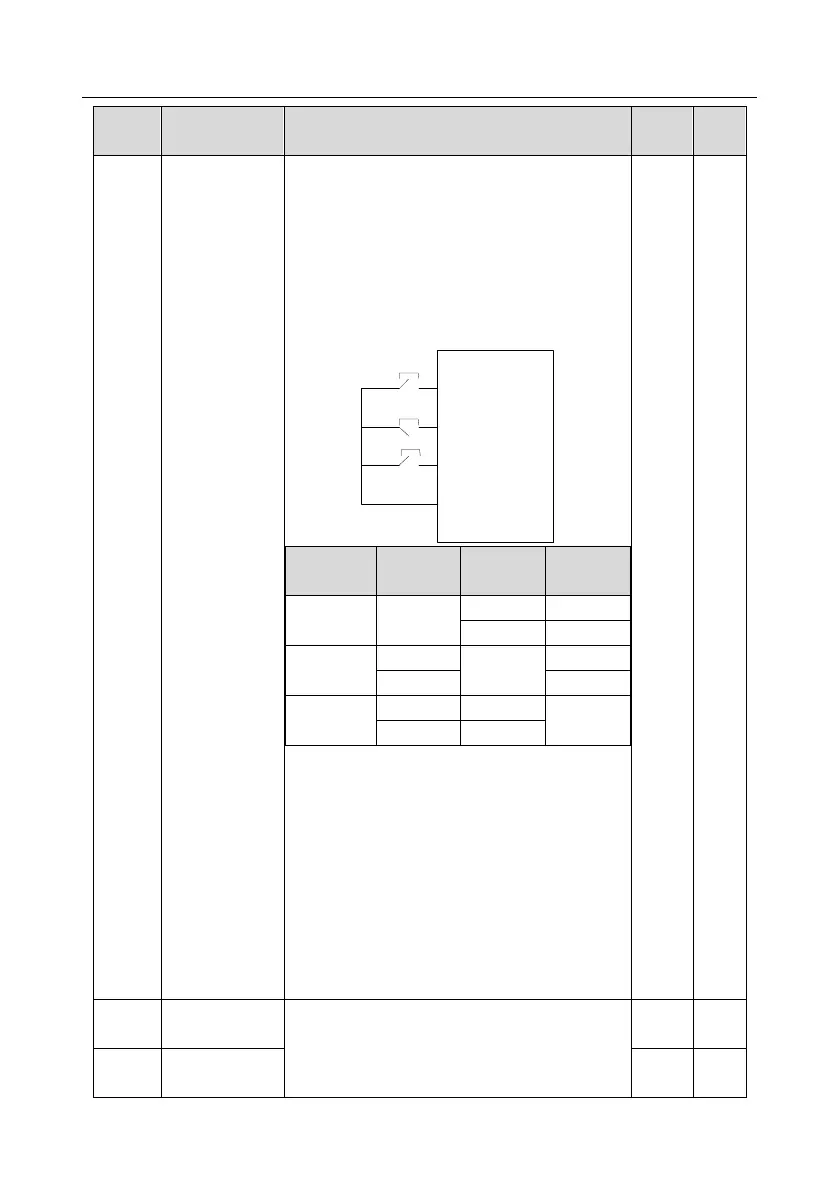
3: 3-wire control 2; This mode defines Sin as
enabling terminal. The running command is
generated by FWD or REV, and they control the
running direction. During running, the terminal Sin
should be closed, and terminal FWD or REV
generates a rising edge signal to control the running
and direction of VFD; the VFD should be stopped
by disconnecting terminal Sin.
Sln: 3-wire control/Sin, FWD: Forward running,
REV: Reverse running
Note: For dual-line running mode, when FWD/REV
terminal is valid, if the VFD stops due to stop
command given by other sources, it will not run
again after the stop command disappears even if
the control terminals FWD/REV are still valid. To
make the VFD run again, users need to trigger
FWD/REV again, eg, PLC single-cycle stop,
fixed-length stop, and valid STOP/RST stop during
terminal control. (see P07.04).
S1 terminal
switch-on delay
These function codes define corresponding delay of
the programmable input terminals during level
variation from switch-on to switch-off .
S1 terminal
switch-off delay



 To Next Page