TD350 Series VFD Basic operation instructions
-46-
01: TD350
16:02:35
Fwd
Local Ready
EditReturn
Select
P00.00:Speed Ctrl
P00.01:Run Cmd Channel
P00.02:Comm Cmd Channel
P00.03:Max Outp Freq
P00.04:RunFreq Up limit
P00.05:RunFreq Low limit
01: TD350
16:02:35
Fwd
Local Ready
HomepageReturn
Select
Parameter setting
User defined parameter setting
State parameter/fault record
Motor parameter autotuning
Parameter copy/Restore default
System setting
01: TD350
16:02:35
Fwd
Local Ready
HomepageReturn
Select
Move up
Move down
Delete from the list
Fig 5.12 List edit diagram 3
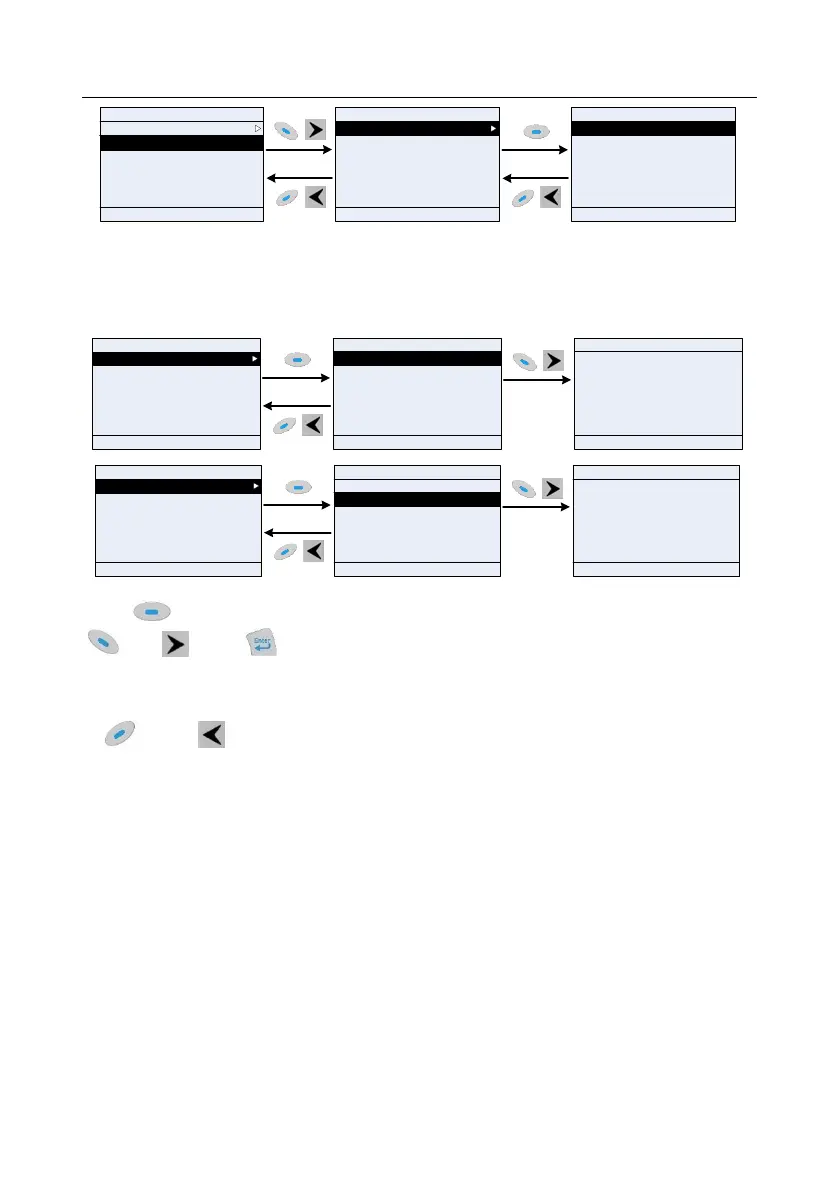
5.4.3 Adding parameters to the parameter list displayed in stop/running state
In the fourth-level menu of "State parameter/fault code", the parameters in the list can be added to the
"Stop state display parameter" list or "Running state display parameter" list as shown below.
01: TD350
16:02:35
HomepageReturn
Confirm
Add to stop state display parameter
01: TD350
16:02:35
Fwd
Local Ready
AddReturn
Select
P17.00:Set Freq
P17.01:OutpFreq
P17.02:Ramp Ref Freq
P17.03:Outp Volt
P17.04:Outp Cur
P17.05:Motor Speed
Add to running state display parameter
01: TD350
16:02:35
Confirm to add to stop state display
parameter?
Fwd
Local Ready
Fwd
Local Ready
HomepageReturn Confirm
01: TD350
16:02:35
HomepageReturn
Confirm
Add to stop state display parameter
01: TD350
16:02:35
Fwd
Local Ready
AddReturn
Select
P17.00:Set Freq
P17.01:OutpFreq
P17.02:Ramp Ref Freq
P17.03:Outp Volt
P17.04:Outp Cur
P17.05:Motor Speed
Add to running state display parameter
01: TD350
16:02:35
Confirm to add to running state display
parameter?
Fwd
Local Ready
Fwd
Local Ready
HomepageReturn Confirm
Fig 5.13 Add parameter diagram 1
Press key to enter parameter addition interface, select the operation needed, and press
key, key or key to confirm the addition operation. If this parameter is not included in
the "Stop state display parameter" list or "Running state display parameter" list, the parameter added
will be at the end of the list; if the parameter is already in the list, the adding operation will be invalid.
If key or key is pressed without any selection in adding interface, it will return to the
previous menu.
Part of the monitoring parameters in P07 HMI group can be added to the "Stop state display
parameter" list or "Running state display parameter" list; All the parameters in P17, P18 and P19
group can be added to the "Stop state display parameter" list or "Running state display parameter"
list.
Up to 16 monitoring parameters can be added to the list of parameters displayed in stopped state;
and up to 32 monitoring parameters can be added to the list of parameters displayed in running state.
5.4.4 Adding parameter to user defined parameter list
In fourth-level menu of "Parameter setting" menu, the parameter in the list can be added to the user
defined parameter list as shown below.



 To Next Page