In this condition the following controls are available:
The keys to select a service from the list.
The and arrows to change the service list by ten positions at a time.
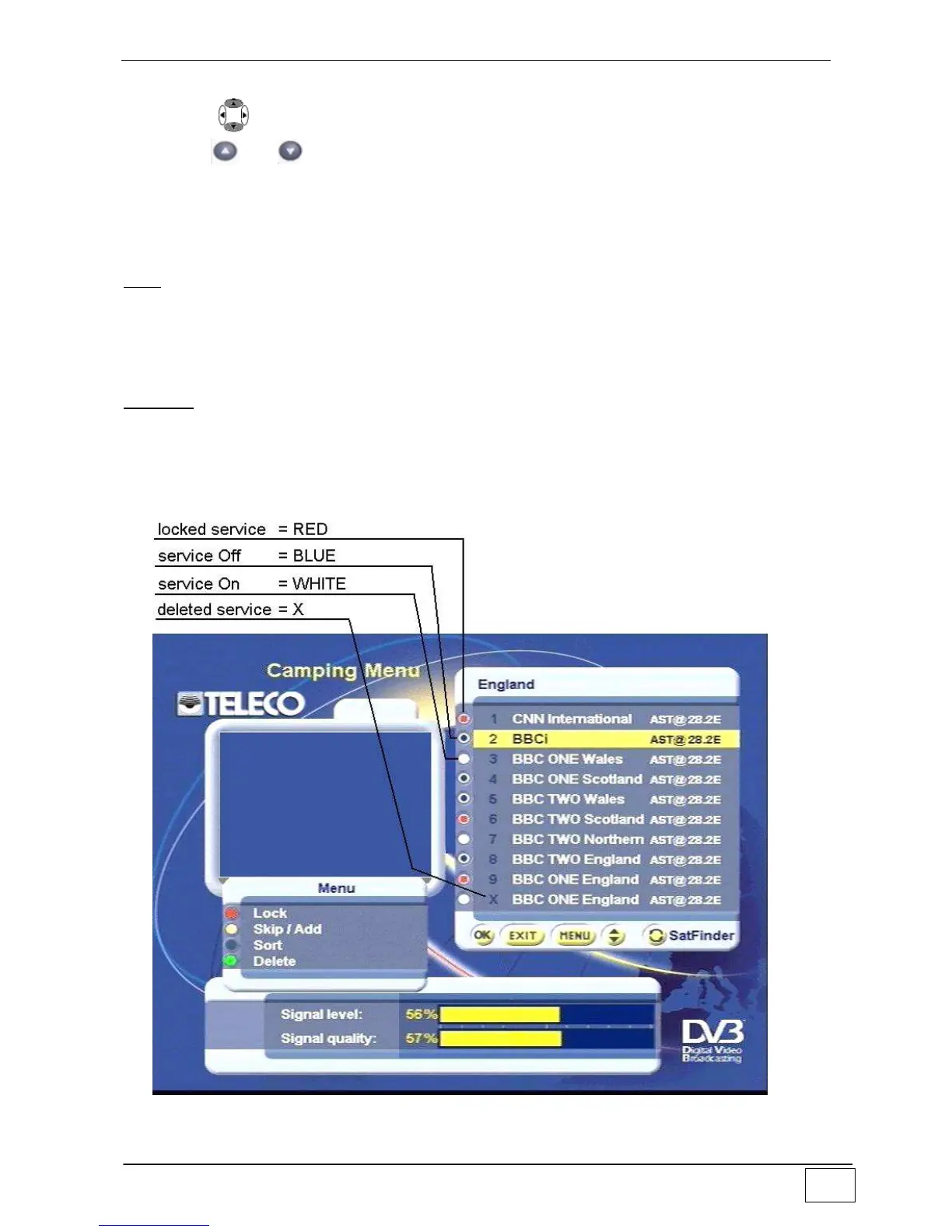
The RED, YELLOW, BLUE and GREEN keys to select the options offered by the
Menu.
The OK key to confirm changes to the list.
The EXIT key to leave the list without modifying it.
Lock menu (Red key): allows you to lock/unlock any selected service by pressing the OK
key.
You must key in the PIN code to access any locked service
(for entering or modifying the PIN code and for enabling/disabling the set Access controls
see the related paragraphs at page 53).
Skip/Add menu (Yellow key): allows you to set Off/On the selected services by pressing
the OK key.
When the service is On, it can be used under the normal navigation modes (Camping
Menu or Full Screen display).
When the service is Off, it cannot be used under the normal navigation modes, but it is
inside the list which can be customized.



 To Next Page