11
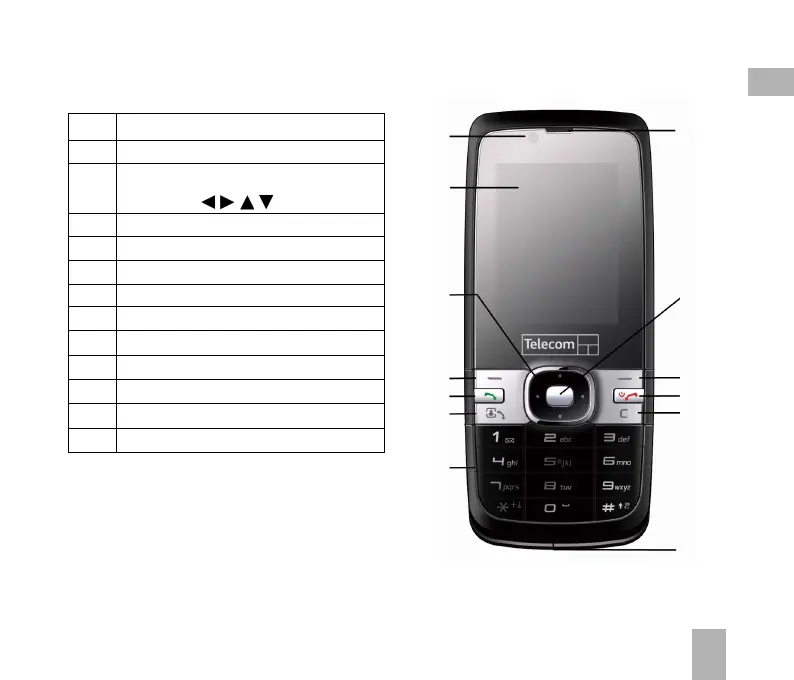
1.3 Handset Overview
1. Camera for Video Calling
2. Display
3. Four way navigation controller
-Arrow Keys(
)
4. Left Soft Key (LSK)
5. Call Key, show Call History
6. Video Call Key
7. Keypad
8. Microphone
9. Clear / Back Key *
10. End / Exit / Power Key
11. Right Soft Key (RSK)
12. OK Key
13. Speaker
1
13
2
3
4
5
6
7
12
11
10
9
8
* The C key is used to step back in menus
and to clear text in text modes. In text
edit mode press once for backspace, press
and hold to clear all the text.
1



 To Next Page