66
Copy one or all of the contacts from Local to Phone using the same method
12.6 Copy Contacts from phone to computer (back-up)
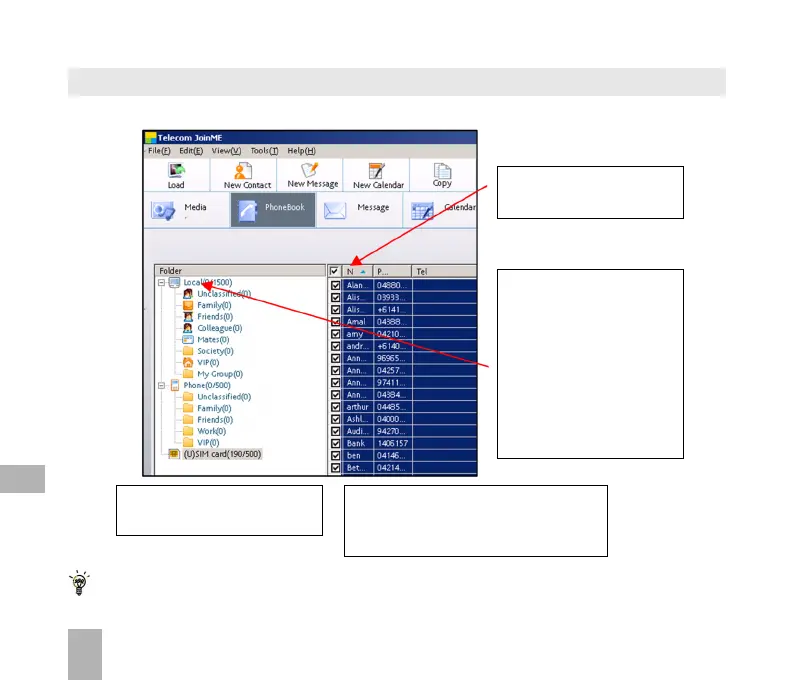
2. ‘Select all’ by checking
the box at the top of the list
3. Drag and drop the com-
plete list to Local.
This will copy all the USIM
contacts to the PC (Local)
You can also select an in-
dividual contact to copy it
in either direction.
1. Select USIM to copy contacts
from the USIM to the PC
You can also right click on the
Contacts grid and Import from
Outlook. See 12.7 below…
12



 To Next Page