19
2
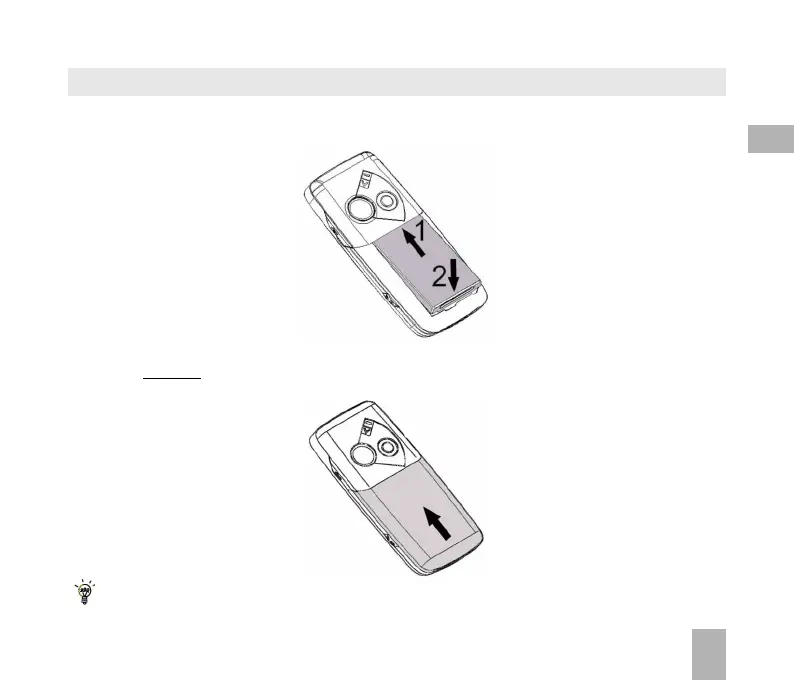
2.3 How do I insert the battery?
Insert the battery as shown with the contacts located against the gold springs. The battery will
only fit one way.
Close the case by locating the plastic cover horizontally into the grooves and sliding the cover up
to close it. DO NOT force the cover down by pressing on it.
Slide the cover up gently
Locate the cover into the grooves horizontally and slide up gently.



 To Next Page