50
8
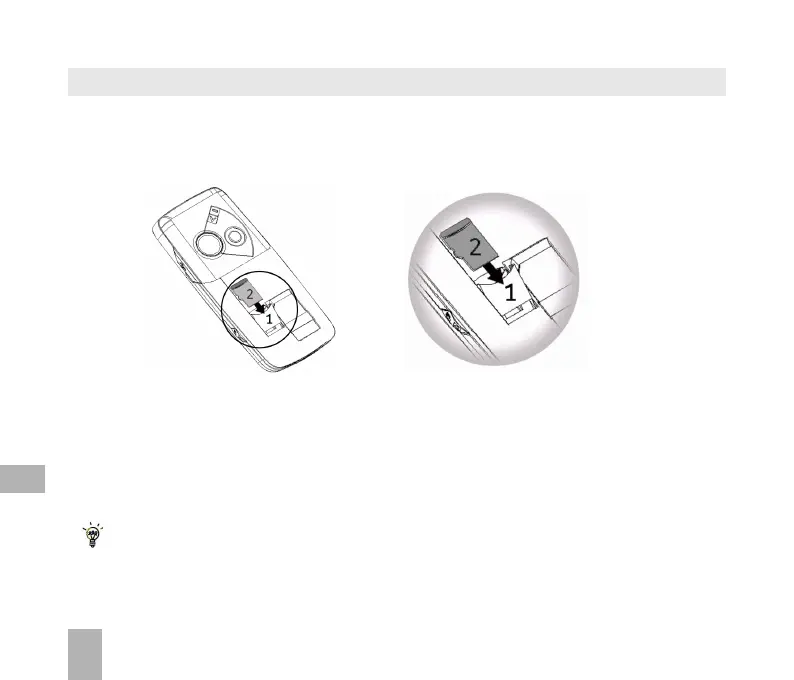
8.2 Installing Additional Memory - Micro SD card
Handset memory can be increased by inserting a Micro SD (HC) card up to 4GB.
Micro SD cards up to 2GB are supported (FAT 16 format)
Micro SD HC (high capacity) cards up to 4GB are supported (FAT 32 format).
• Open the back of the handset and remove the battery
• Slide down the Micro SD card holder (1) to release the lock and raise
• Carefully insert the Micro SD card (2) as shown above
• Place the card into position, lower the card holder and lock by sliding the holder up
• Re-insert the battery, close the back cover and switch the handset on
With the Micro SD card inserted the default storage location (for photos etc) is the External
Memory. You can set this under Menu > Settings > tab right to Handset > Download
Location



 To Next Page