18
2
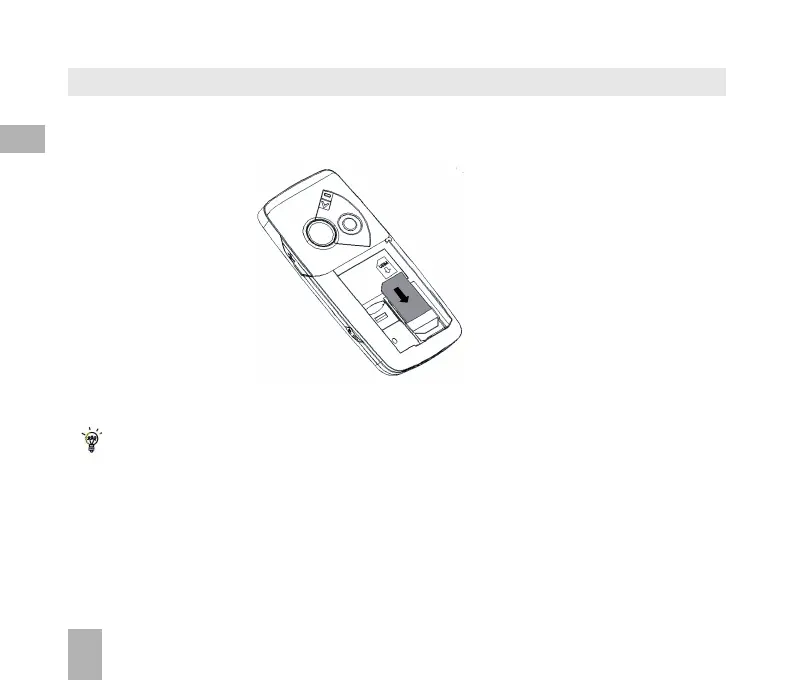
How do I insert the USIM card?
Insert the USIM card with the gold contacts facing down and the bevelled edge on the left hand
side as shown. Carefully slide it under the metal bar observing the correct orientation.
Always handle the USIM card with care to avoid damage. If your USIM card is faulty please contact
your service provider.
If your handset displays:
“No (U)SIM detected” check the USIM is inserted correctly.
“Enter PUK code” please contact your Service Provider.
“Enter Unlock code” please contact your Service Provider.



 To Next Page