62
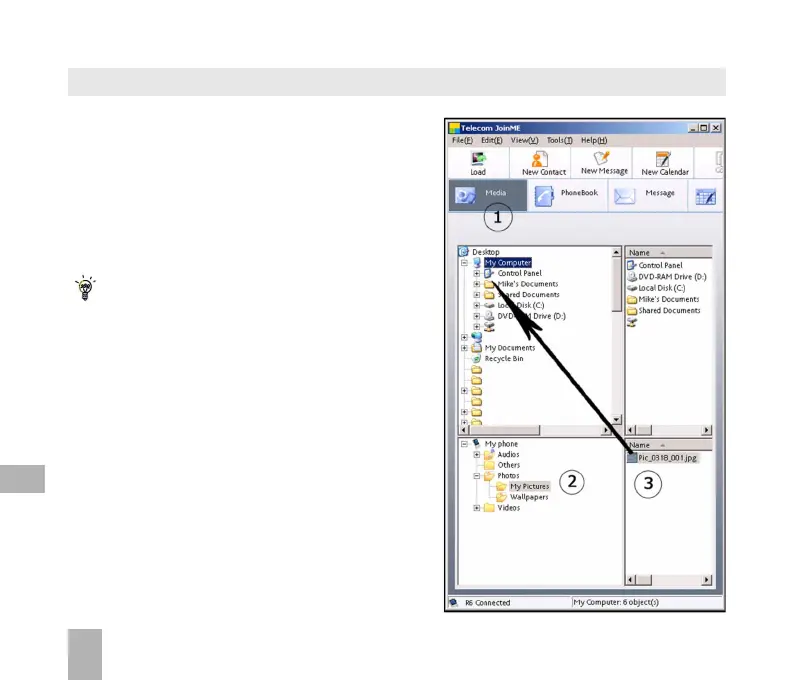
1. Select the Media button
2. Select My Pictures folder on My Phone
3. Drag the picture from My Pictures
to a folder on the PC
4. Alternatively right click on the file and
use Copy and Paste from the menu
Files can only be copied into Folders
Notes on transferring files
DRM protected files, default ringtones and
wallpapers cannot be copied or sent to
other devices.
The handset does not support the transfer
of Contacts via Bluetooth.
Copy files (eg Photos) from the phone to the computer using JoinME
12



 To Next Page