64
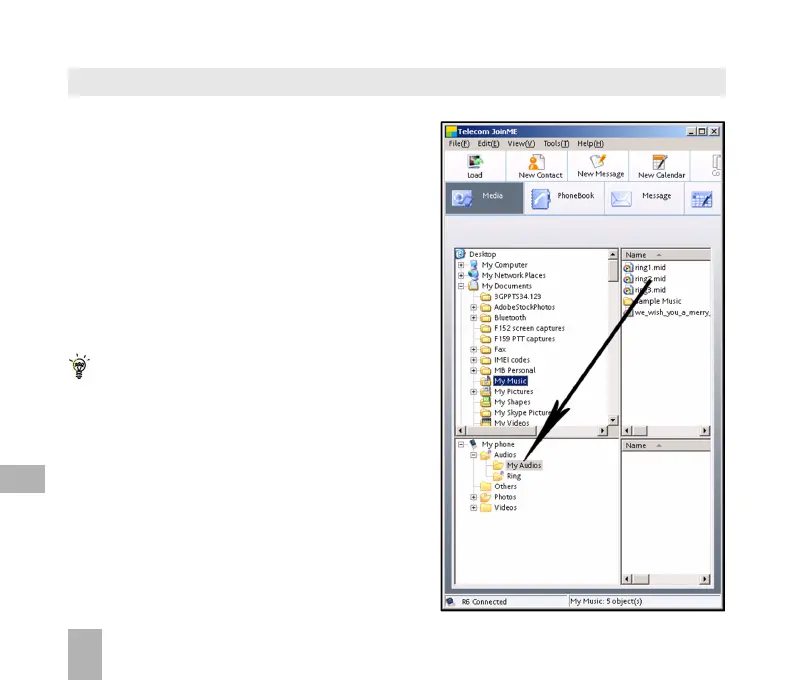
Select the Media button
Use drag and drop to copy the
selected file from the computer to
the My Audios folder on the handset.
Alternatively select the file, right click
to Copy the file, select the destination
folder (on the handset) and choose Paste.
Copy files(eg Music) from the Computer to the handset using JoinME
Files can only be transferred into user folders
on the handset. Eg. Transfer music files into
My Audios, pictures into My Pictures and java
games and applications into the Others folder.
All other folders are write protected.
12



 To Next Page