iTRANS 2
FIXED POINT SINGLE OR DUAL GAS MONITOR
WITH DUAL ANALOG OUTPUTS
USER MANUAL
Revision 7.0
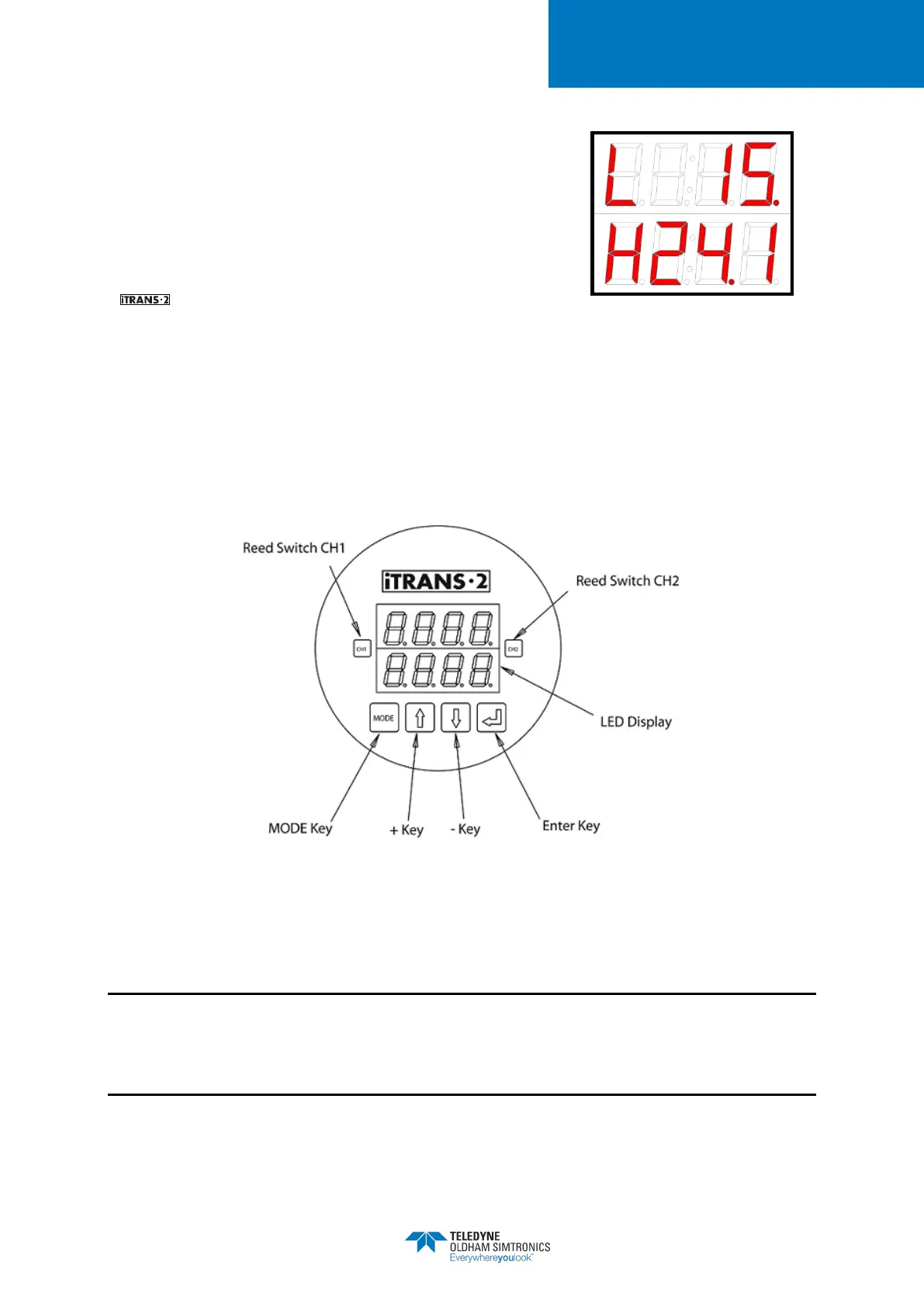
As gas concentrations increase, the respective channel’s
readings will respond accordingly. If low or high alarm levels
are exceeded, an alarm indication will appear in the first digit
of the display. An “L” indicates a low alarm while an “H”
indicates a high alarm. If a 4-20mA fault occurs, either a “P”
indicating an open loop, or an “U” indicating 4-20 over-
range will be present. From the Normal Operating Mode, the
can enter into the program mode in one of two ways.
Figure 5-3 Sample Low and High
Alarm Displays
To enter the Program Mode without opening the enclosure, pass over the embedded reed switch
located under CH1 with the magnetic wand (see Figure 5-4). This will enter you into the non-
intrusive program mode.
In this mode you can check sensor type, zero the unit, calibrate the unit, change the span gas
value, and view sensor span. With the enclosure top removed, Program Mode can be entered
using the “MODE” key. The available functions are listed in 8 Troubleshooting.
Figure 5-4 Locations of Reed Switches and Push Buttons
5.4 Programming Mode Overview
NOTE: Zeroing and calibrating the instrument can be accomplished one of two ways via
programming mode. Zeroing and calibrating (as well as other programming options) can be
entered either from the keypad or non-intrusively using the magnetic wand. Refer to the sections
and subsections within this chapter for detailed information.


 To Next Page