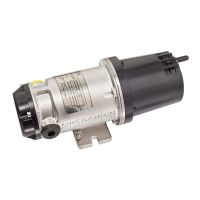
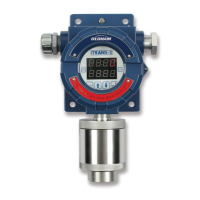
iTRANS 2
FIXED POINT SINGLE OR DUAL GAS MONITOR
WITH DUAL ANALOG OUTPUTS
USER MANUAL
Revision 7.0
7.2 Sensor Replacement
Sensor replacement must be done by qualified personnel. To replace the sensor, shut down
power to the unit. Un-thread the sensor-housing cap from the sensor housing. There is a set screw
that secures the cap to the housing. Once the cap is removed, remove the old sensor and sensor
board.
When installing the new sensor/sensor board make sure you line up the notch in the board with
the alignment pin. After the new sensor is in place, screw the sensor cap back on to the housing
and secure the set screw.
Once the new sensor is in place and has time to settle out, it should be zeroed and calibrated for
accuracy.
7.3 Zero and Calibration
Zeroing and calibrating the instrument can be accomplished one of two ways. These routines can
be entered either from the keypad or non-intrusively using the magnetic wand. See 0
Operation for step-by-step procedures for zeroing and calibrating the using the magnetic
wand. 0 also contains information on keypad zeroing and calibration.


 To Next Page