iTRANS 2
FIXED POINT SINGLE OR DUAL GAS MONITOR
WITH DUAL ANALOG OUTPUTS
USER MANUAL
Revision 7.0
5.6 Programming Mode – Push Button Operation
5.6.1 Introduction
In a safe environment where the windowed top of the
transmitter can be removed, there are more programming
options available. These programming options include all of
the functions available in the non-intrusive mode as well as a
few others. These items are password protected. To
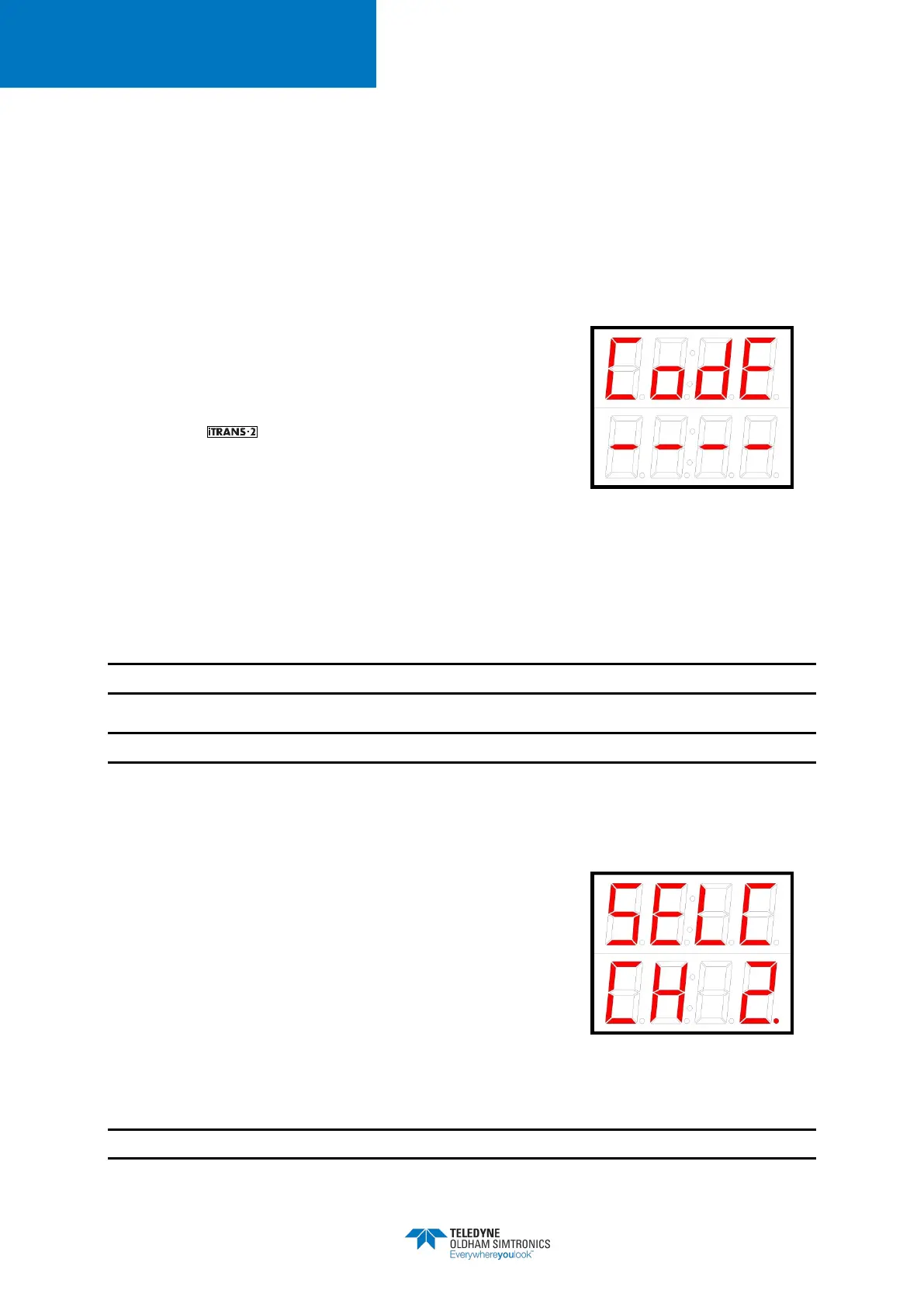
enter the programming options, press the “Mode” key. The
access code is “Mode”, “Up”, “Down”, “Up”, “Enter”. Once
the correct password has been entered, the user will have to
select a channel for programming but in case of wrong
password or time out (10 second) the display will revert back
to Normal Operating Mode
Figure 5-14 Sample Enter
Password Display
NOTE: If display shows “iNet” confirm setting is “0” to ensure proper function of onboard relay.
NOTE: Please see 8 for a complete list of functions and function codes.
5.6.2 Entering Programming Mode and Selecting a Channel
On entering the correct password, the channel selection
screen will be displayed on the
“Mode” button to switch between the available channels then
press the “↵” button to confirm the channel selection.
Once a channel is selected, the gas type for that sensor is
displayed on the top row of the LED display for 5-7 second.
After that the LED display will show the list of available
functions. Use the arrow keys to scroll through the list of
functions available.
Figure 5-15 Sample Channel
Selection Display
NOTE: If you have a dual-sensor unit, use the “Mode” button to switch between the channel.


 To Next Page