iTRANS 2
FIXED POINT SINGLE OR DUAL GAS MONITOR
WITH DUAL ANALOG OUTPUTS
USER MANUAL
Revision 7.0
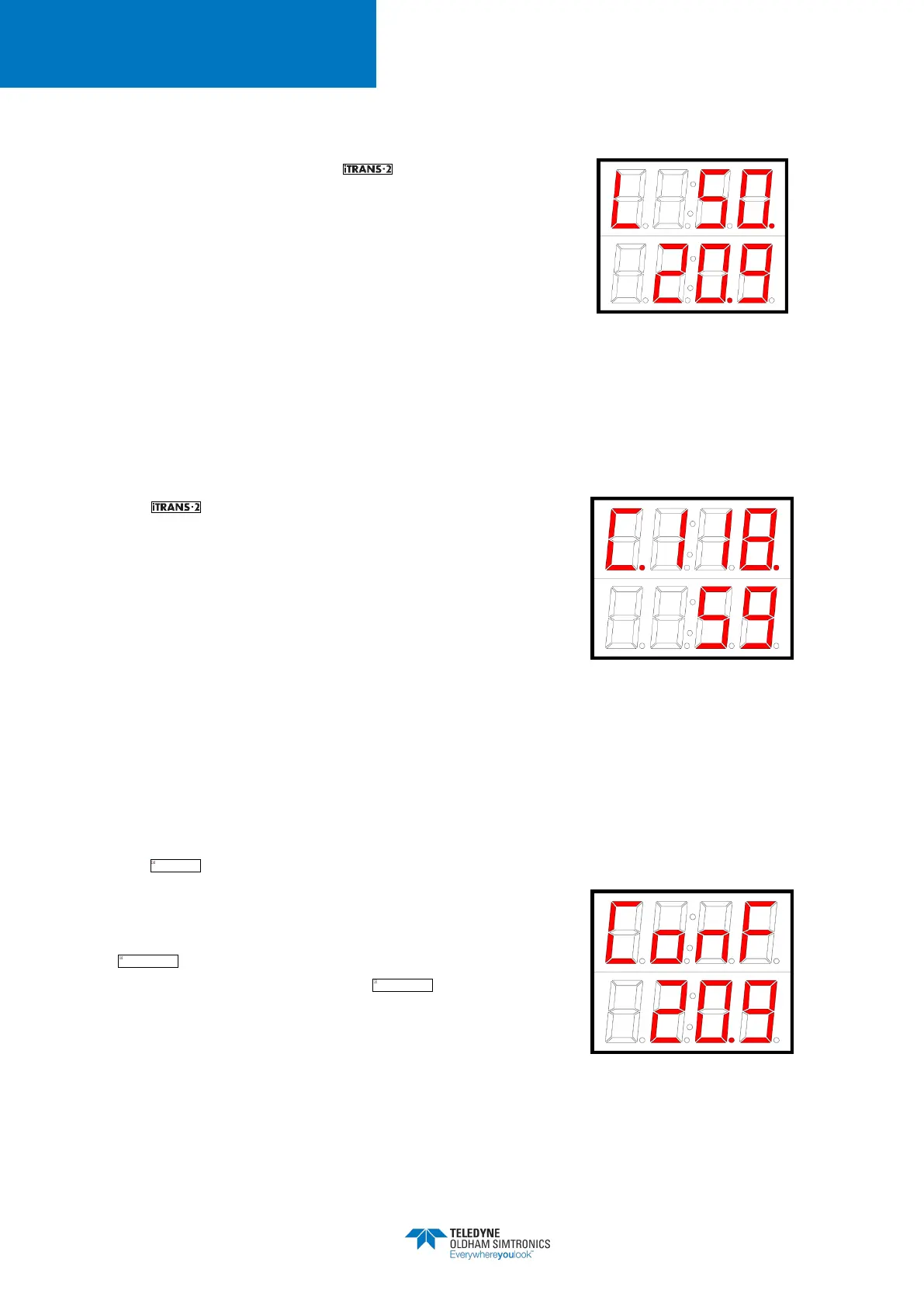
Normal Mode
After the warm-up mode, the enters the normal gas
reading mode, During the normal mode, all gas reading
related alarms are enabled and the current on the HART 4-
20mA channel linearly follows the sensor 1 gas reading
between zero reading to measurement range with 4mA and
20mA being the corresponding current values. In case of an
under range or an over range reading the channel current
value is fixed at 1mA. HART interface is enabled throughout
the normal mode.
Figure A - 10 Normal Mode
Display
Calibration and Zeroing Modes
The enters the calibration or zeroing mode when the
user selects the corresponding operation on sensor 1 through
intrusive/non-intrusive programming screen or through HART
4-20mA interface. During both of zeroing and calibration
modes the HART channel current remains fixed at 3mA
(16mA for oxygen sensor). A successful zeroing or
calibration operation is followed by a warm-up mode and an
unsuccessful operation is followed by a corresponding fault
mode.
HART interface is enabled throughout the zeroing and
calibration modes.
Figure A - 11 Calibration Display
Fault Mode
The enters the fault mode whenever it is not able to
provide the gas reading to the user interface. There are
different types of sensor faults which have been listed in the
Table A - 2. The fault detection is enabled throughout the
operation after the device is powered on, and the
fault codes are indicated on the display after the
initial start-up mode. During the fault mode on sensor 1 the
HART 4-20mA channel current remains fixed at 1mA and
HART interface is enabled throughout fault mode.
Figure A - 12 Fault Mode Display
Impossible d'afficher l'image liée. Le fichier a peut-être été déplacé, renommé ou supprimé. Vérifiez que la liaison pointe vers le fichier et l'emplacement corrects.
Impossible d'afficher l'image liée. Le fichier a peut-être été déplacé, renommé ou supprimé. Vérifiez que la liaison pointe vers le fichier et l'emplacement corrects.
Impossible d'afficher l'image liée. Le fichier a peut-être été déplacé, renommé ou supprimé. Vérifiez que la liaison pointe vers le fichier et l'emplacement corrects.


 To Next Page