Getting Started Model 300E Carbon Monoxide Analyzer
Instruction Manual
34 P/N 04288 REV: A
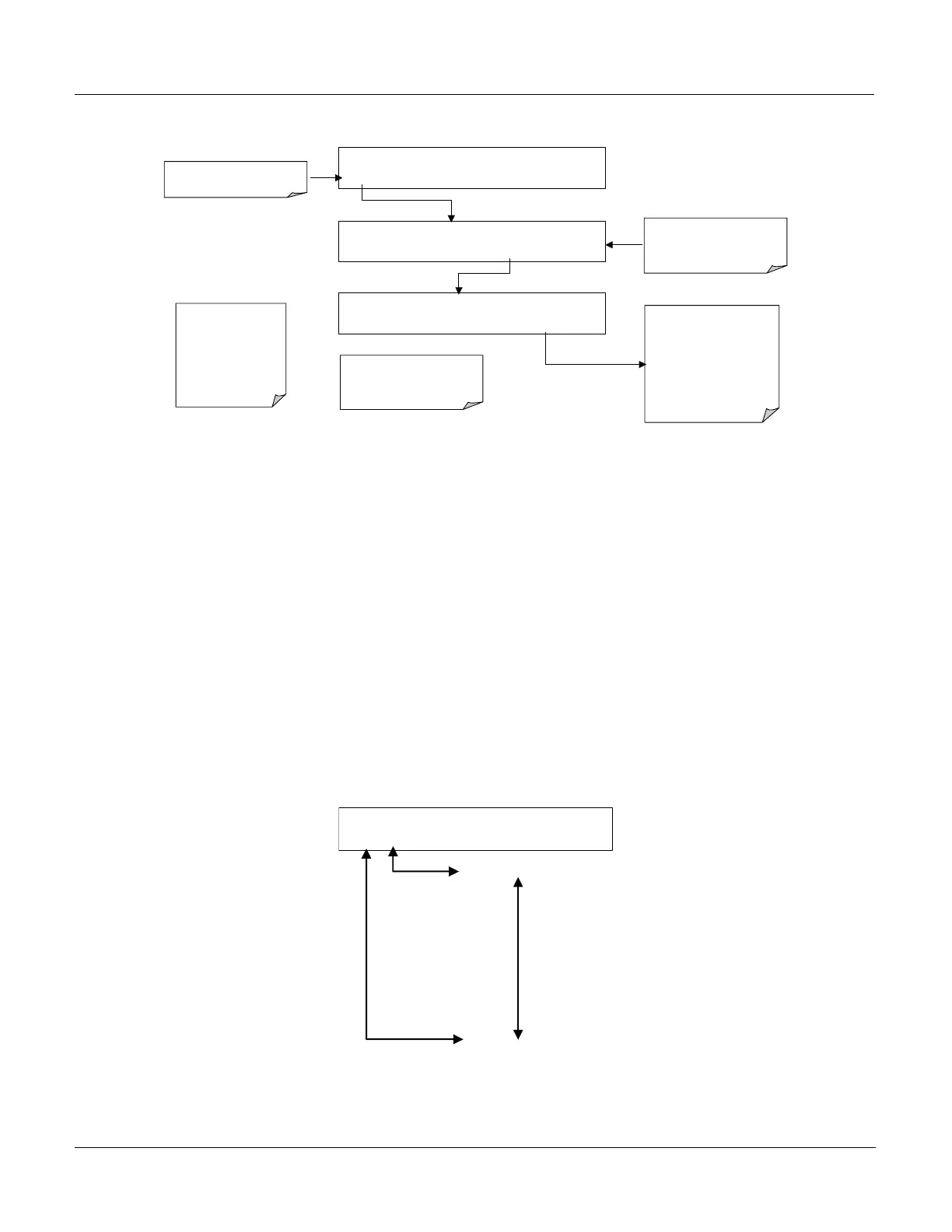
To View and Clear the various warning messages press:
SAMPLE WHEEL TEMP WARNING CO = XX.XX
TEST
CAL MSG CLR SETUP
Make
SURE
warning
messages are NOT due to
LEGITIMATE PROBLEMS.
.
Press CLR to clear the
message currently being
Displayed.
If more than one warning is
active the next message will
take its place
Once the last warning has been
cleared, the analyzer returns to
SAMPLE Mode
SAMPLE
RANGE=50.0 PPM
CO = XX.XX
< TST TST > CAL MSG CLR SETUP
SAMPLE
WHEEL TEMP WARNING
CO = XX.XX
TEST
CAL MSG
CLR
SETUP
TEST
deactivates Warning
Messages
MSG activates Warning
Messages.
<TST TST
> keys replaced with
TEST key
NOTE:
If the Warning Message
persists after several
attempts to clear it, the
message may be an
indication of a legitimate
problem and not an
artifact of the Warm-Up
eriod
3.2.4. Functional Check
After the unit has thoroughly warmed up verify that the software supporting any
hardware options with which the analyzer was shipped have been properly set up.
For information on navigating through the analyzer’s software menus, see the
menu trees described in Appendix A.
Check to make sure that the analyzer is functioning within prescribed operation
parameters. See Appendix A for a list of those parameters and their expected
value ranges as well as their meaning and utility as diagnostic tools.
To view the current values of these parameters press the following key sequence on
the analyzer’s front panel.
Remember until the unit has completed its warm up these parameters may not
have stabilized.
RANGE
STABIL
CO MEAS
CO REF
M/R RATIO
SAMPLE PRES
SAMPLE FLOW
SAMPLE TEMP
BENCH TEMP
WHEEL TEMP
BOX TEMP
PHT DRIVE
SLOPE
OFFSET
TIME
SAMPLE RANGE = 50.0 MGM CO =XX.XX
< TST
TST >
CAL SETUP






 To Next Page