Model 300E Carbon Monoxide Analyzer
Instruction Manual
Operating Instructions
P/N 04288 REV: A 95
6.8.7. Testing the Serial I/O
The serial communications port can be tested in the COMM menu. This test sends a
string of 256 ASCII ‘w’ characters to via the selected COMM port. While the test is
running the red LED on Rear Panel of the analyzer should flicker.
To initiate the test press:
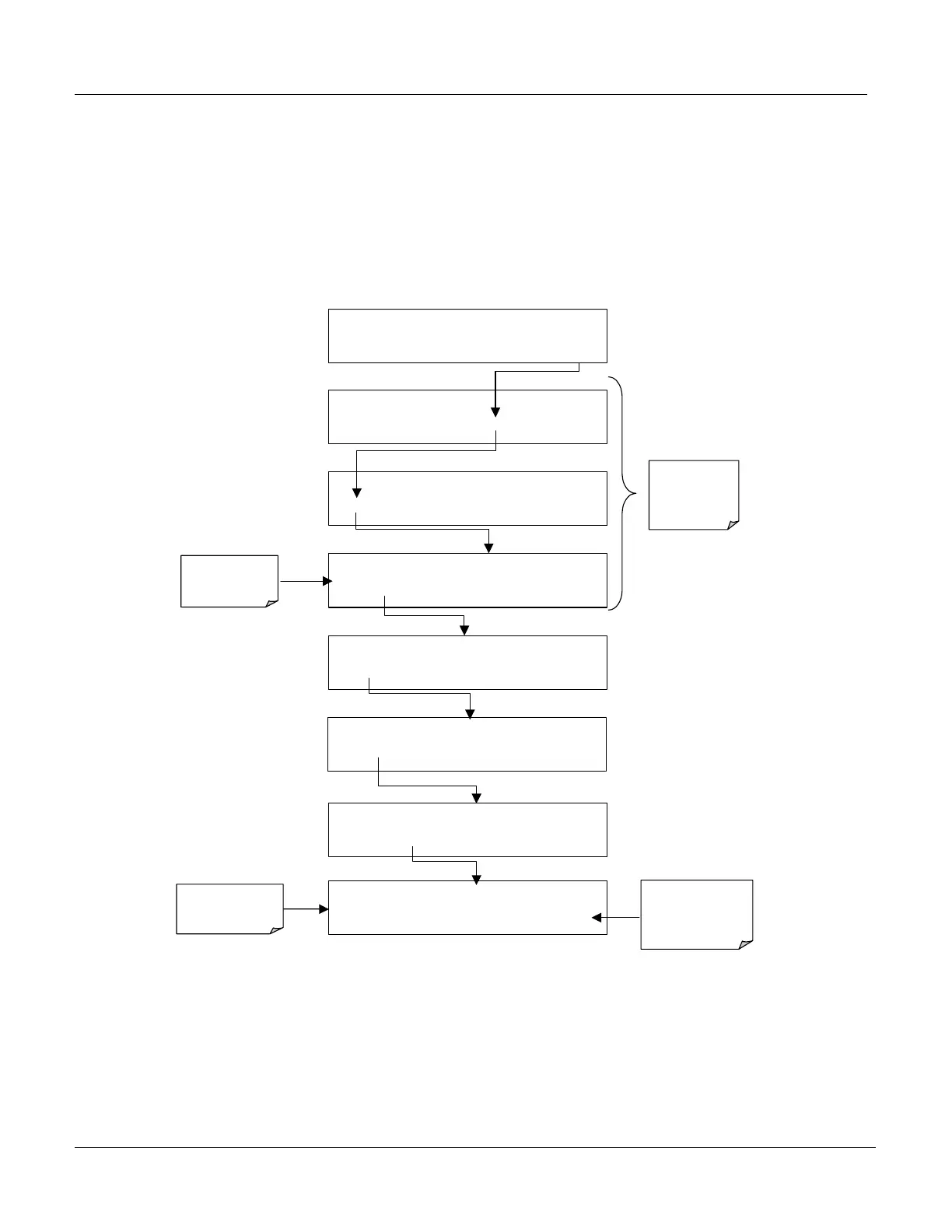
SETUP C.4 COM1 : TEST PORT
<SET
TEST
EXIT
SETUP C.4
TRANSMITTING TO COM1
<SET
TEST
EXIT
SETUP C.4
CFG DAS RNGE PASS CLK MORE EXIT
SETUP C.4
COMM
VARS DIAG HALT EXIT
SAMPLE RANGE = 50.0 PPM CO =
< TST TST > CAL
SETUP
SETUP C.4
COMMUNICATIONS MENU
ID COM1 COM2 EXIT
Select which
COMM Port is
to be tested
SETUP C.4 COM1 MODE:0
SET>
EDIT EXIT
EXIT returns
to the
previous
Menu
SETUP C.4 COM1 BAUD RATE:19200
<SET SET> EDIT EXIT
EXIT returns to
Communications
Menu
Test runs
automatically






 To Next Page