Model 300E Carbon Monoxide Analyzer
Instruction Manual
Operating Instructions
P/N 04288 REV: A 53
6.2.1. Warning Message Display
The most common and serious instrument failures will activate Warning Messages
that are displayed on the analyzer’s Front Panel. These are:
Message Meaning
SYSTEM RESET The computer has rebooted.
SOURCE The IR source may be faulty.
SYNC The instrument is not properly tracking the rotation of the Gas Filter
Correlation wheel.
BENCH TEMP Optical bench temperature is outside the specified limits.
WHEEL TEMP The Gas Filter Correlation wheel temperature is outside the specified
limits.
BOX TEMP The temperature inside the M300E chassis is outside the specified
limits.
SAMPLE TEMP The temperature of the sample gas is outside the specified limits.
SAMPLE FLOW The flow rate of the sample gas is outside the specified limits.
SAMPLE PRES The pressure of the sample gas is outside the specified limits.
See Section 11.1.1 for more information on using these messages to troubleshoot
problems.
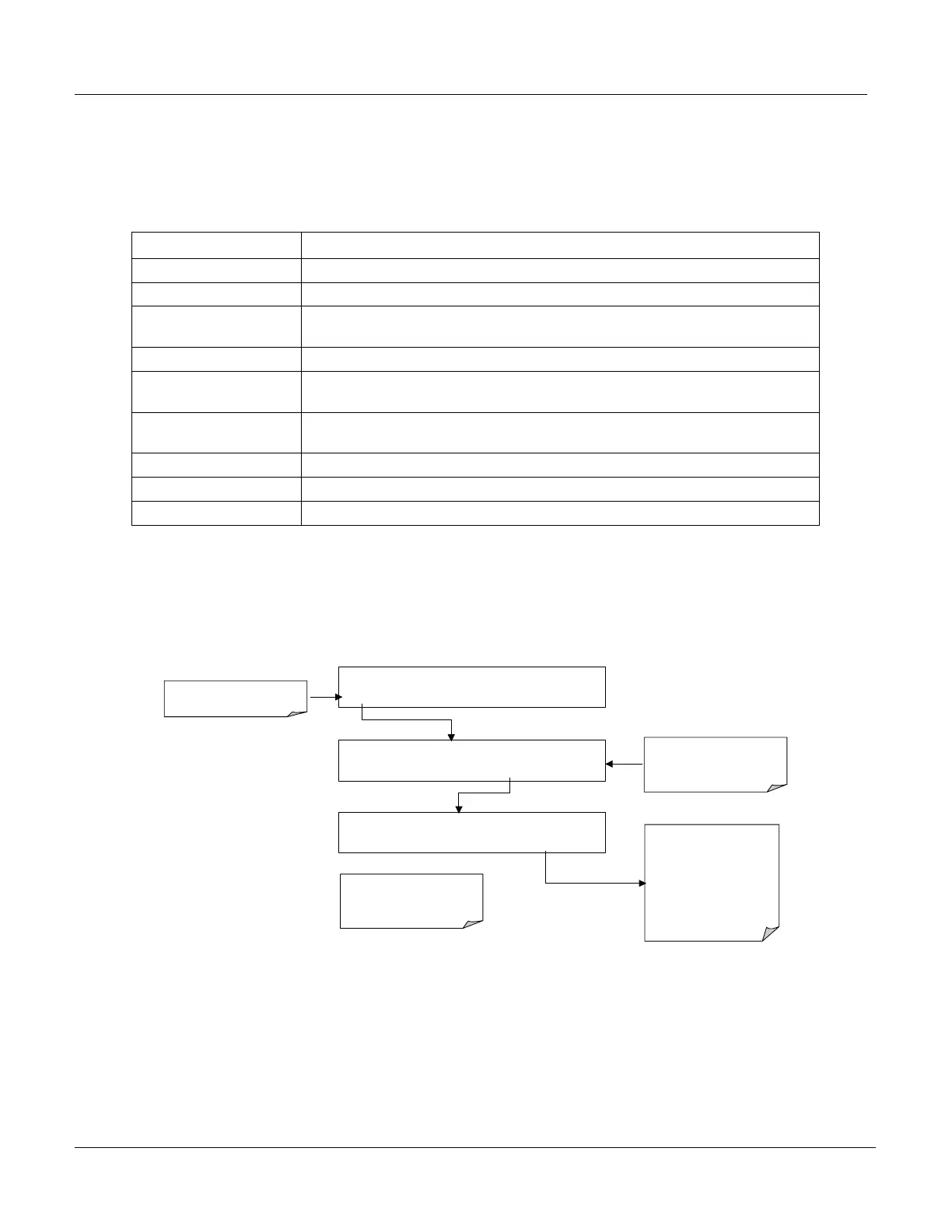
To View and Clear the various warning messages press:
SAMPLE WHEEL TEMP WARNING CO = XX.XX
TEST
CAL MSG CLR SETUP
Make
SURE
warning
messages are
NOT
due to
LEGITIMATE PROBLEMS.
.
Press CLR to clear the
message currently being
Displayed.
If more than one warning is
active the next message will
take its place
Once the last warning has been
cleared, the analyzer returns to
SAMPLE
Mode
SAMPLE
RANGE=50.0 PPM
CO = XX.XX
< TST TST > CAL
MSG
CLR SETUP
SAMPLE WHEEL TEMP WARNING CO = XX.XX
TEST CAL MSG CLR SETUP
TEST deactivates Warning
Messages
MSG activates Warning
Messages.
<TST TST> keys replaced with
TEST key
6.2.2. Test Functions
A series of Test Functions are available for viewing via the Front Panel display while
the analyzer is in SAMPLE mode. These functions provide valuable information
regarding the present operation and status of the instrument. These parameters
are also useful during troubleshooting exercises (see Section 11.1.2).






 To Next Page