EasyManua.ls Logo

Teledyne 300E - Page 93

Teledyne 300E
253 pages
Print Icon
To Next Page IconTo Next Page
To Previous Page IconTo Previous Page
Loading...
Model 300E Carbon Monoxide Analyzer
Instruction Manual
Operating Instructions
P/N 04288 REV: A 93
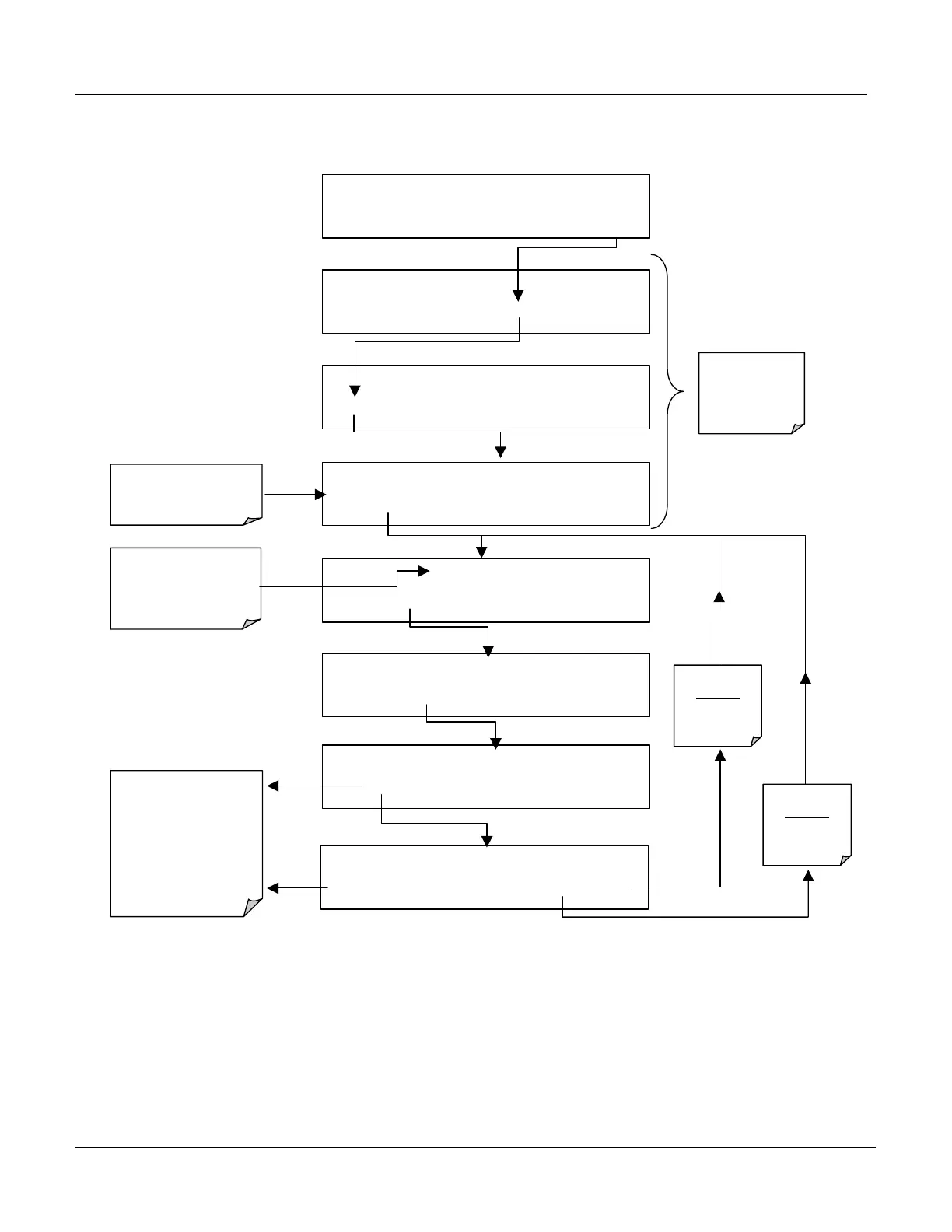
To select a set of Communication Modes for a one of the COMM Ports: press:
SETUP C.4
CFG DAS RNGE PASS CLK
MORE
EXIT
SETUP C.4
COMM
VARS DIAG HALT EXIT
SAMPLE RANGE = 50.0 PPM CO =
< TST TST > CAL
SETUP
SETUP C.4
COMMUNICATIONS MENU
ID
COM1
COM2
EXIT
Select which Com
Port is to be
configured
SETUP C.4
COM1 MODE:0
SET>
EDIT
EXIT
EXIT returns
to the
previous
Menu
SETUP C.4
COM1 QUIET MODE: OFF
NEXT
OFF
ENTR EXIT
SETUP C.4 COM1 COMPUTER MODE: OFF
PREV NEXT OFF
ENTR EXIT
SETUP C.4
COM1 QUIET MODE: ON
NEXT
ON
ENTR EXIT
Use PREV and NEXT
keys to move up and
down the list of
available Modes.
See Table 6-17 for a
list of available
modes
EXIT key
ignores
the new
settings
ENTR key
accepts
the new
settings
The Sum of the ID
#’s of the selected
Modes is displayed
here

Table of Contents