ADR-7000 / SAVER-7000 / GUARD-7
© 2017 – Telefire Fire & Gas Detectors Ltd Revision 0.98 October 2017
– Page 7 of 87 –
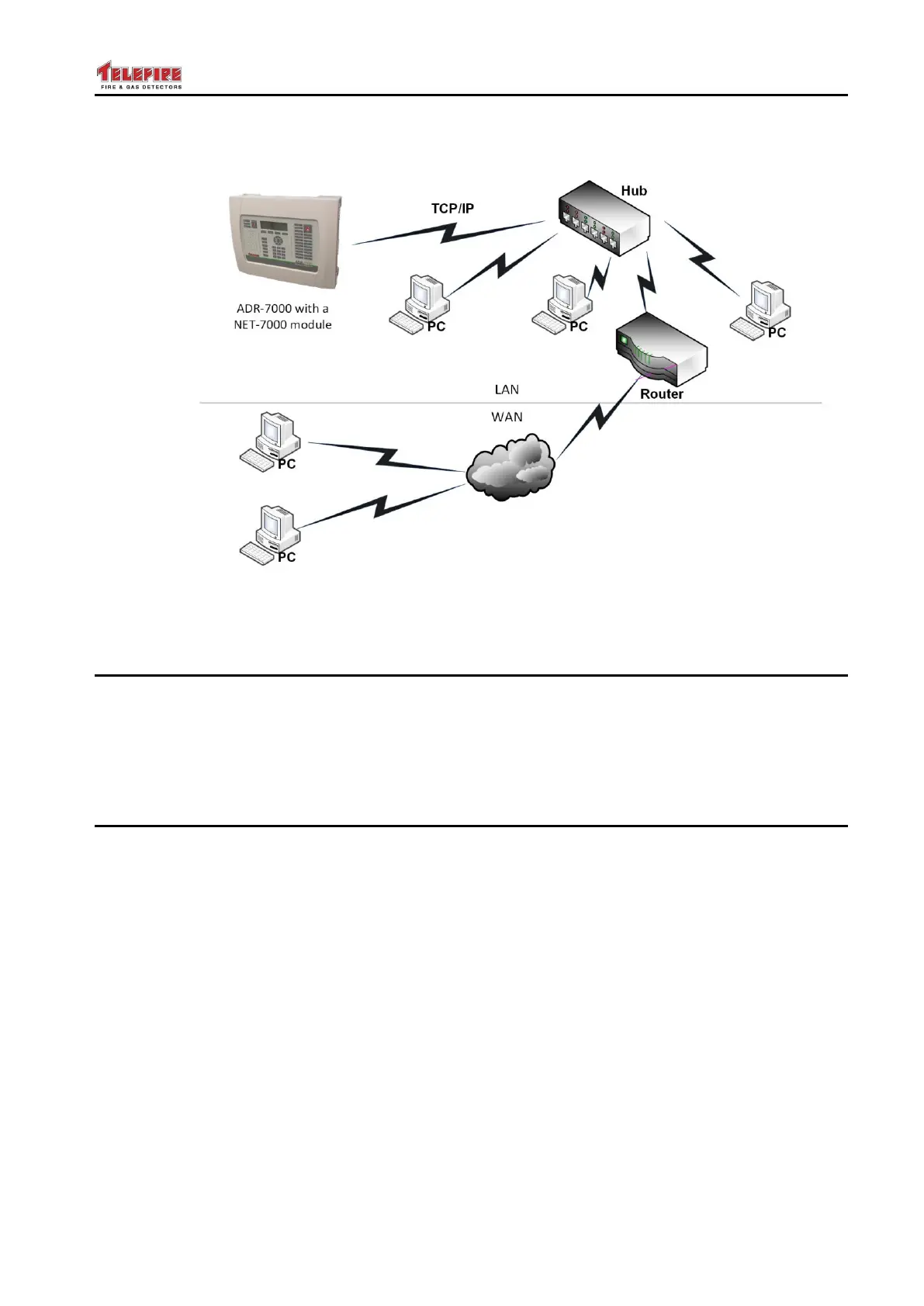
Figure 3 Remote control by TCP/IP NET-7000 module
2.8 Loop Expansion Card – ADR-7001EM1 – ADR-7000 only
The loop expansion card is designed for ease of installation and maintenance.
Connectors are located in logical groups; on the left are the data and power inputs from
the main board. On the bottom are connectors for SLC loops 5-8; and Ground and
24Vdc supply to the field.
The ADR-7001EM1 card supports 1 – 4 additional SLC loops.
2.9 Remote Annunciator – RM-7000
The RM-7000 Remote Panel and Annunciator enables control and supervision of the
ADR-7000 fire alarm control panel from remote locations and key positions such as
security officer, premises manager, or maintenance office.
The RM-7000 remote panel consists of an LCD display, keyboard, internal buzzer, and
features such as alarm output, trouble output, and an interface relay that reduces the
need for additional input/output interface modules.
The remote panels are connected to the main control panel via a twisted wire pair
(RS-485). As many as 16 remote panels can be connected to the control panel using
the same cable in a Class B or Class A configuration. Each remote panel should be
configured with a unique address in the range of 1 to 16. The communication circuits
are fully supervised.
In large systems incorporating several control panels connected via a peer-to-peer
network as many as 16 remote panels can be connected to each of the control panels.
The RM-7000 operates with a 24Vdc power source that can be supplied from the main
control panel or an auxiliary power supply such as Telefire's TPS-73A or TPS-34A
Addressable Auxiliary Power Supply.
Please refer to the RM-7000 technical manual for further details.



 To Next Page