ADR-7000 / SAVER-7000 / GUARD-7
© 2017 – Telefire Fire & Gas Detectors Ltd Revision 0.98 October 2017
– Page 44 of 87 –
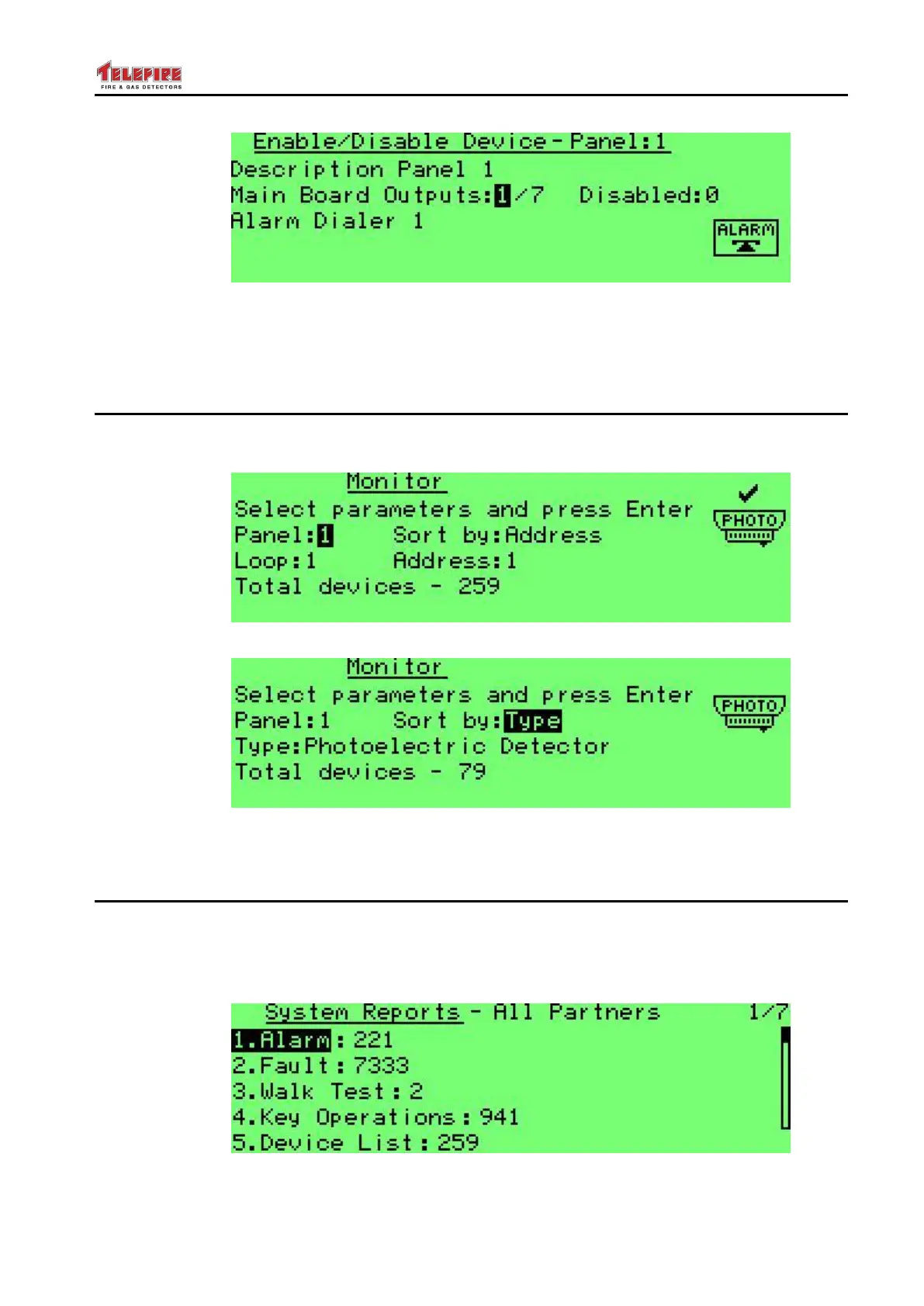
Screen 16 Enable / Disable Main Board Outputs
This operation allows the disablement or enablement of main board outputs (Alarm
Dialer; FWRE Dialer; NAC 1; NAC 2; Relay 1; Relay 2; or Relay 3), rather than a
physical loop. Select the specific device using the up / down arrows.
8.3 Monitor
The Monitor feature allows the graphic display of the physical sensor's output of a
selected device. You can also perform a test of the device.
Screen 17 Monitor Screen: Sort by Address
Screen 18 Monitor Screen: Sort by Type
Device selection is similar to device selection in Enable / Disable menu.
8.4 System Reports
System reports allows you to see a detailed report
The System Reports Menu allows you to get details on the number of sirens, faults,
testing the detectors in the field, key actions, the list of devices in the system, active
output circuits, and maintenance recommendations.
Screen 19 System reports



 To Next Page