24 MA365 • Rev. A2
Tellabs
®
6325 Edge Node 2 Installation Information
2.4 Installing the Subrack
To install the subrack for
the Tellabs 6325 node
Please follow the instructions below.
Step Action
1
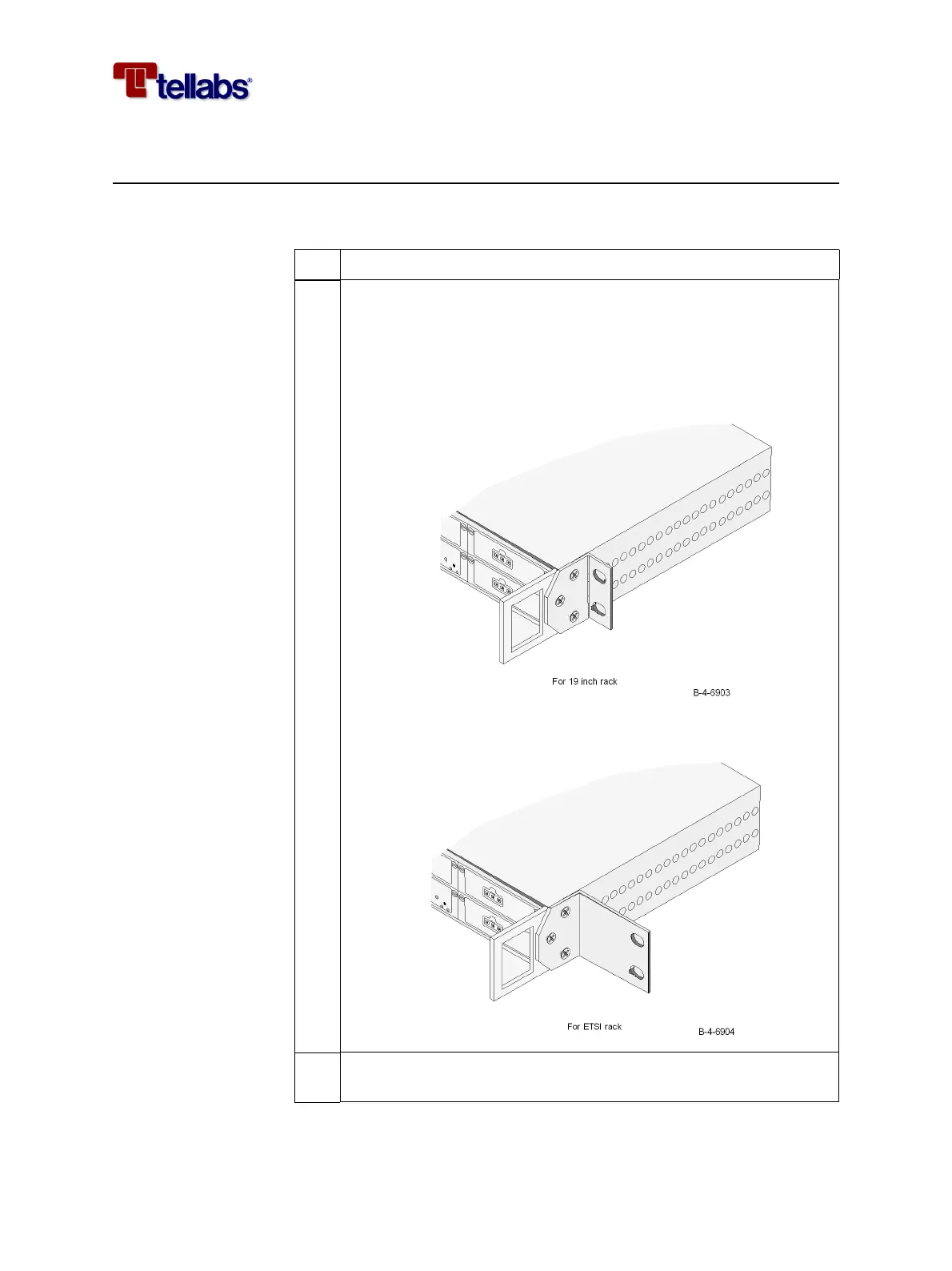
Install the left and right side brackets as shown below, each with 3
screws (M4 x 8).
The adaptation bracket NS-0296 is used for 19 inch racks and NS-
0297 is used for ETSI racks.
2 Insert the nuts including clips in the holes corresponding to the de-
sired rack position of the Tellabs 6325 node.



 To Next Page