MA365 • Rev. A2 45
Tellabs
®
6325 Edge Node 3 Reference Information
Embedded software The following embedded software is available for the Tellabs 6325 node.
3.3 LEDs, Switch and Connectors
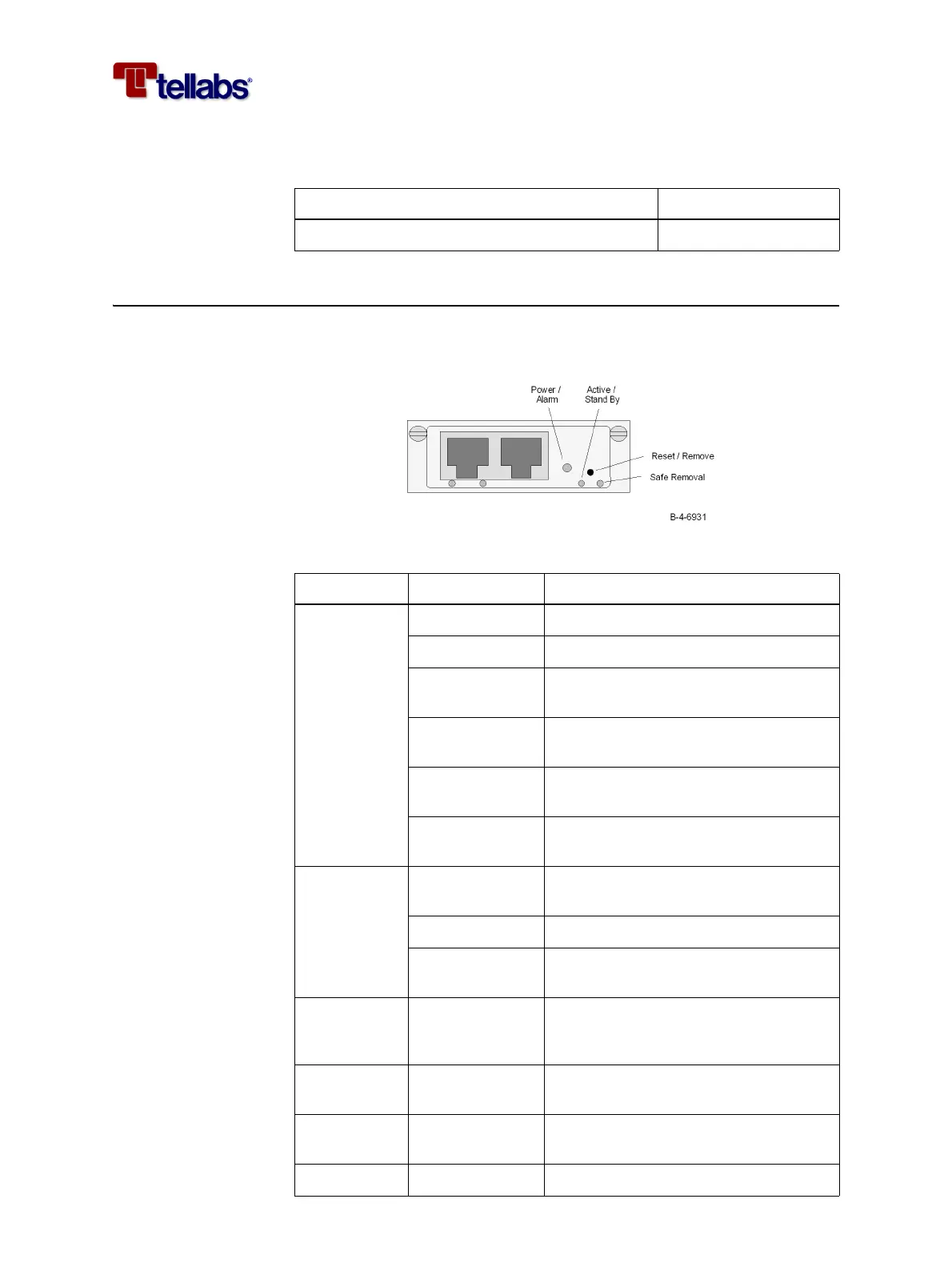
LEDs and switch on
CMCC module
The figure below shows the location of the LEDs and switch on the front of the
CMCC module.
The functions of the LEDs and switch are described in the table below.
Description Item number
6325 ESW, FP1.0, CD-ROM SW6325-0010M200
LED or Switch Indication Description
Power /
Alarm
Off Module not powered
Constantly green Normal condition
Constantly red Alarm (critical or major) or module per-
forming self-test
Fast Flashing
(4 Hz) green
Module booting or initializing applica-
tion software
Slow Flashing
(1Hz) green
Module synchronizing
Slow Flashing
(1Hz) red
Module self-test failed
Active /
Stand By
Off Module not powered or not ready for
stand by
Constantly green Module is active
Slow Flashing
(0.5Hz) green
Module is in stand by mode
Reset /
Remove
- Switch to be activated before the mod-
ule is removed from the subrack or to
perform a reset of the module.
Safe Removal Yellow LED indicating that it is safe to remove
the module from the subrack.
ACT Green LED indicating activity/traffic on the
management connection
LINK Green LED indicating that link is up.



 To Next Page