46 MA365 • Rev. A2
Tellabs
®
6325 Edge Node 3 Reference Information
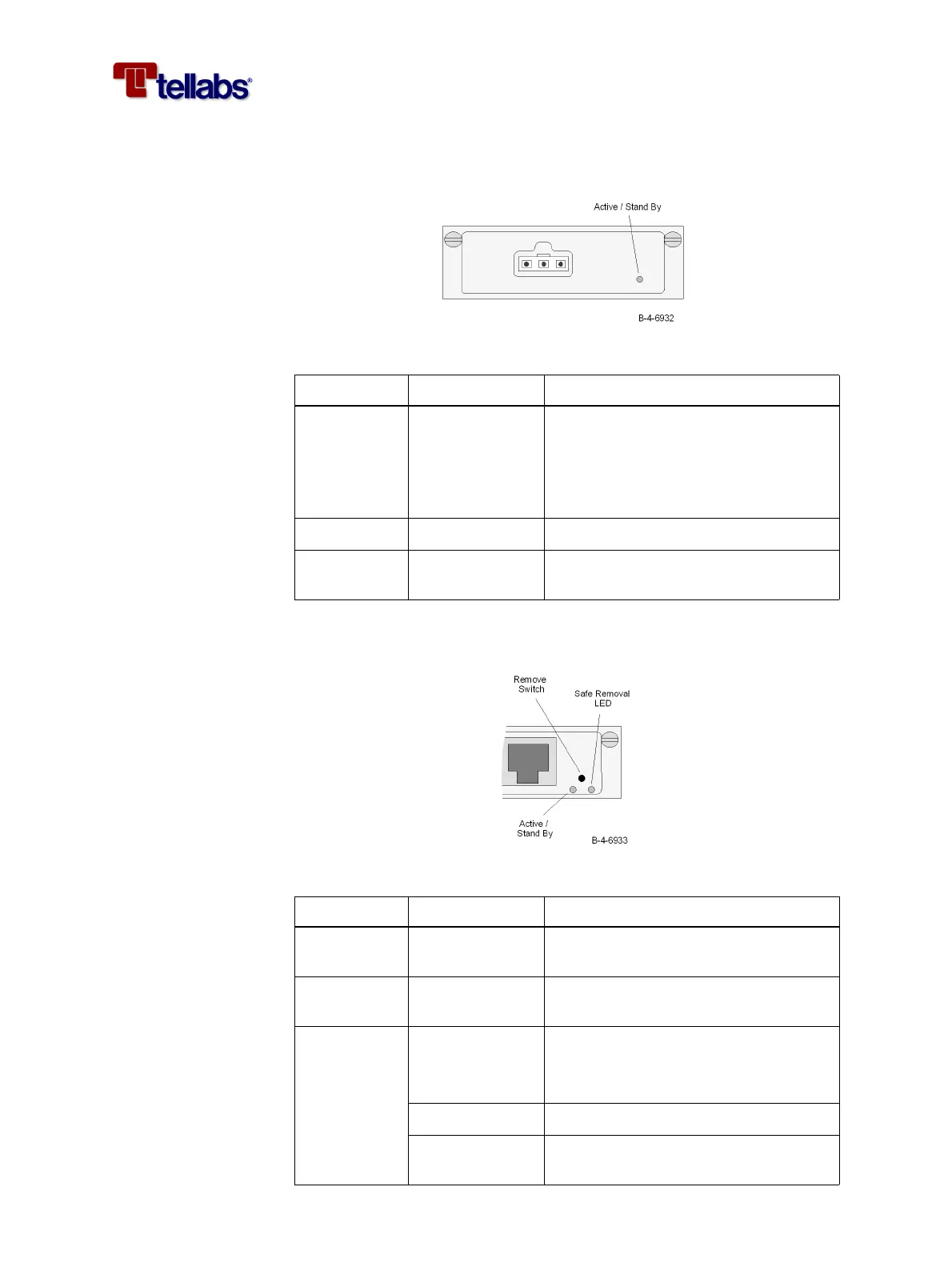
LED on PS-DC module The figure below shows the location of the LED on the front of the PS-DC
module.
The functions of the LED are described in the table below.
LEDs and switch on
traffic modules
The figure below shows the location of the LEDs and switch on the front of the
traffic modules.
The functions of the LEDs and switch are described in the table below.
LED Indication Description
Active /
Stand By
Off • Module is not providing power (ei-
ther the input power is missing or
the module has a defect)
• Module is in stand by mode (when
the CMCC module is not installed)
Constantly green Module is active
Slow Flashing
(0.5Hz) green
Module is in stand by mode
LED/Switch Indication Description
Remove - Switch to be activated before the mod-
ule is removed from the subrack.
Safe Removal Yellow LED indicating that it is safe to remove
the module from the subrack.
Active /
Stand By
(not on PIM1)
Off • Module is not powered
• Module is in stand by mode (when
the CMCC module is not installed)
Constantly green Module is active
Slow Flashing
(0.5Hz) green
Module is in stand by mode



 To Next Page