3. Click Finish to close the wizard and return to the Qsys window. Choose dual_boot_0 and click
right key to select Rename it to dual_boot, and connect the clk and nreset to clk_0.clk and
clk_0.clk_reset as shown in Figure 6-7.
Figure 6-7 Rename and connect dual boot IP OK
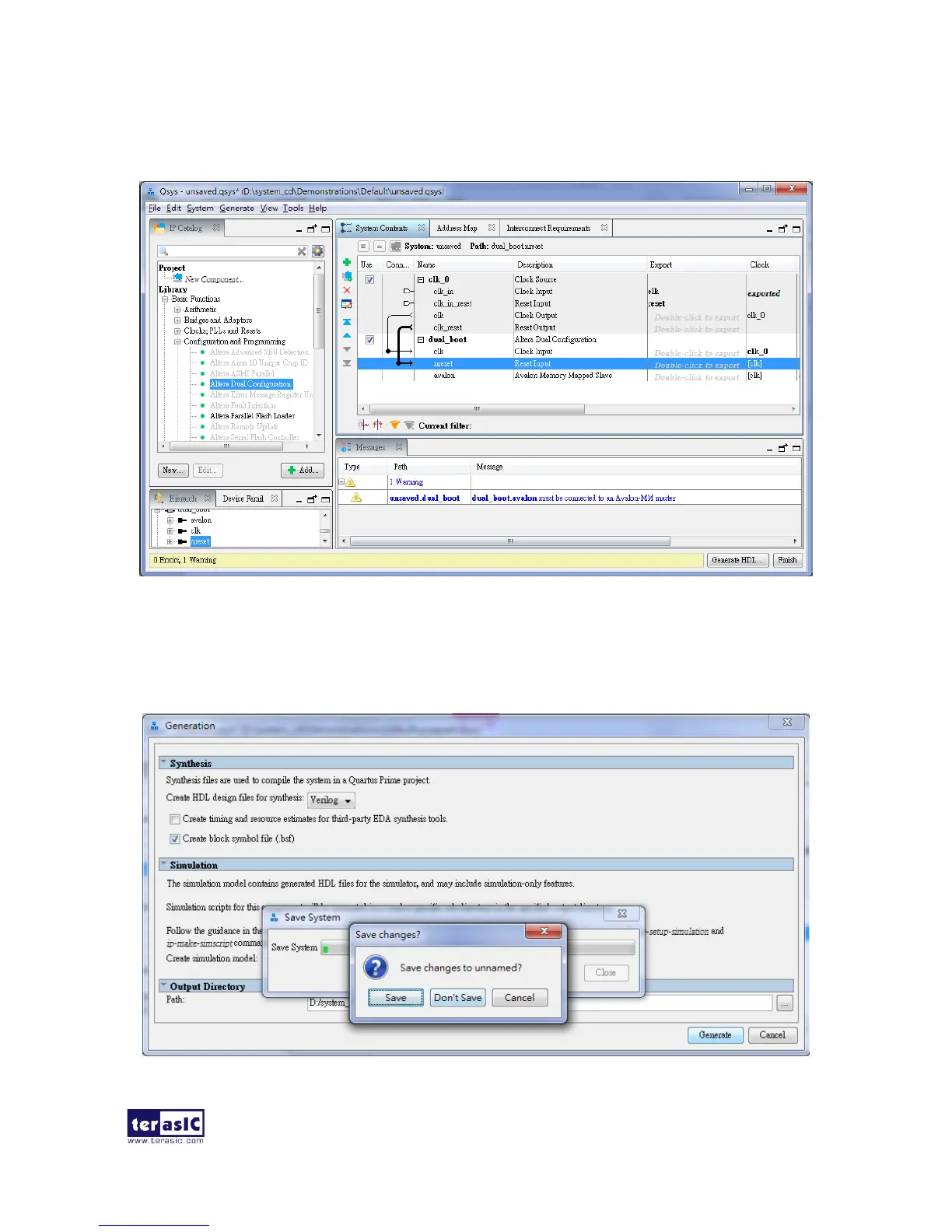
4. Choose Generate > Generate HDL.. and click Generate then pop a window as shown in
Figure 6-8. Click Save it as dual_boot.qsys and the generation start. If there is no error in the
generation, the window will show successful as shown in Figure 6-9.
Figure 6-8 Generate and Save Qsys.


 To Next Page
 Loading...