Finally, So far, we have successfully obtained two image .sof files for dual boot demo according
previous steps. this section describes how to generate .pof from .sof files with the internal
configuration mode and program the .pof into configuration flash memory (CFM) through the
JTAG interface.
I. Convert .SOF File to .POF File
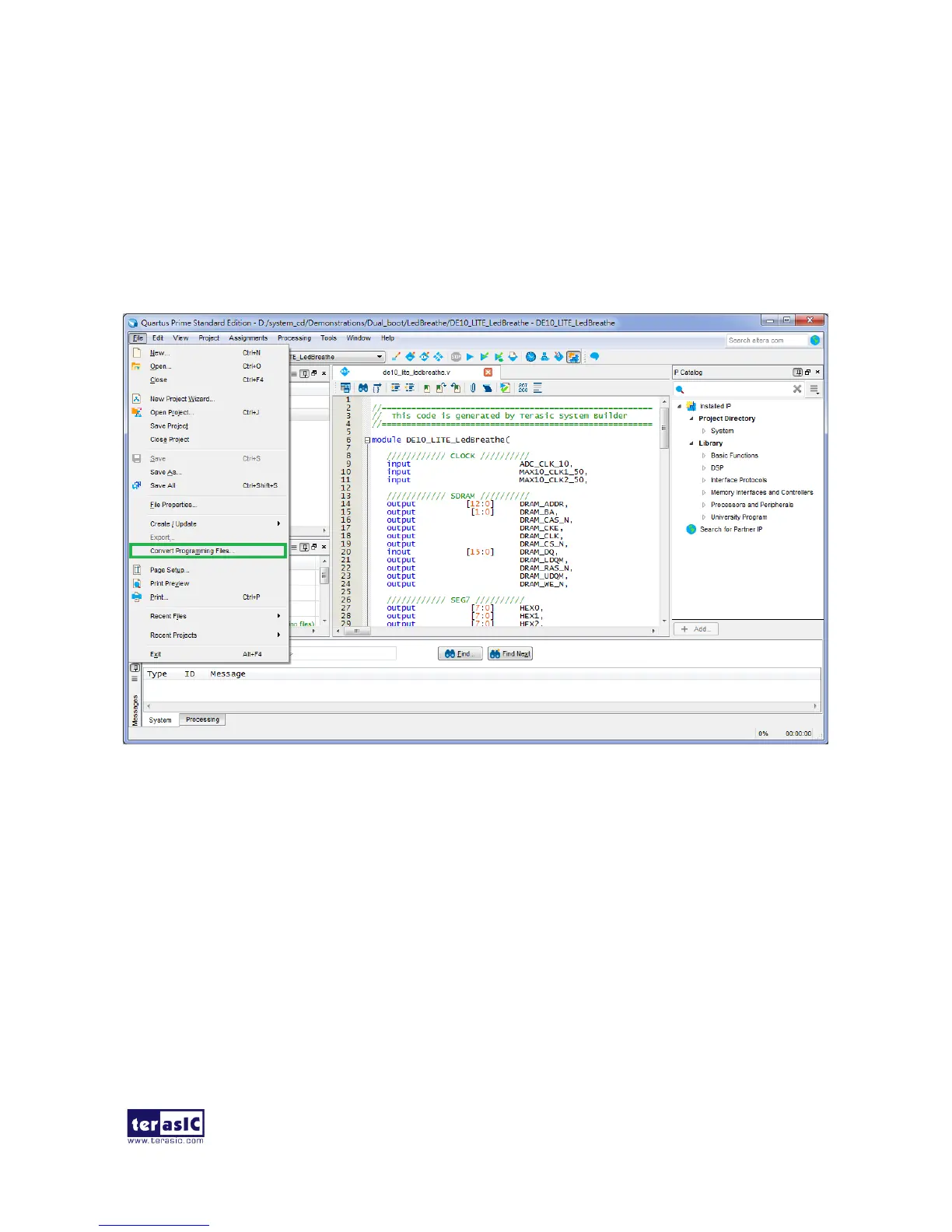
1. Choose Convert Programming Files from the File menu of Quartus II to open new window, as
shown in Figure 6-13.
Figure 6-13 Select Convert Programming Files and click
2. Select Programmer Object File (.pof) from the Programming file type field in the dialog of
Convert Programming Files.
3. Choose Internal Configuration from the Mode filed.
4. Browse to the target directory from the File name field and specify the name of output file.
5. Click on the SOF data in the section of Input files to convert, as shown in Figure 6-14.


 To Next Page